Why Would a Vacuum Suddenly Stop Working? Troubleshooting Guide
Discover why a vacuum cleaner suddenly stopped working and follow our urgent, step-by-step troubleshooting guide to diagnose common causes, safely fix the issue, and prevent future outages.


A vacuum can stop working for simple, fixable reasons. Most issues come from power problems, clogs, or worn components. Start with quick checks: unplug, inspect the power cord and switch, clear visible blockages, and test the outlet with another device. If the problem persists, follow our step-by-step guide to diagnose safely and avoid unnecessary repairs.
Why outages happen and how to start safely
If you're wondering why would a vacuum cleaner suddenly stopped working, begin with safe, quick checks rather than diving straight into internals. According to Vacuum Cleaner Guide, most outages are caused by simple, fixable factors such as power supply problems, clogs, overheated motors, or jammed brush rolls. Before any inspection, unplug the unit and disconnect from the outlet. Then inspect the power cord for visible damage, test the outlet with another device, and verify the switch works smoothly. A quick spark or continuity check can reveal a loose connection. While these checks take minutes, they save you from hours of guesswork and protect you from electric shock. Have a mental checklist: is the dustbin full, is the filter clogged, is the belt intact, and is there an obstruction in the hose? These are common culprits homeowners encounter when messes pile up and performance drops.
Quick fault categories you can diagnose safely
Not all failures require professional service. Start by grouping symptoms: no power on, intermittent power, loss of suction, or unusual noises. No power often points to a power issue (outlet, cord, switch, or fuse). Intermittent power may be a thermal cutout or loose wiring. Loss of suction frequently signals clogs or full dust container. Unusual noises usually indicate belt wear, brush obstruction, or motor bearing wear. For each category, list possible causes and check in that order: first confirm power, then inspect filters and dustbin, followed by checking hoses and nozzle blocks. This approach minimizes risk and makes the next steps clearer for you.
How symptoms guide your diagnosis
An empty dustbin and clogged filter are common reasons a vacuum loses suction yet still runs. If the motor runs but there is no suction, start by clearing the filter and bin and inspecting the hose for kinks. If the device starts but stops after a minute, the thermal cutout may be tripping; allow it to cool and restart. When the unit won’t start at all, test the outlet with a different device, re-seat the plug, and check for a damaged cord. Many homeowners forget to check for a blocked brush roll, which can stall airflow and trigger overheating. Keep your testing structured: confirm power, check airflow, inspect mechanical parts, and note any smells or smoke. This method aligns with Vacuum Cleaner Guide’s practical troubleshooting approach and helps owners avoid unnecessary repairs.
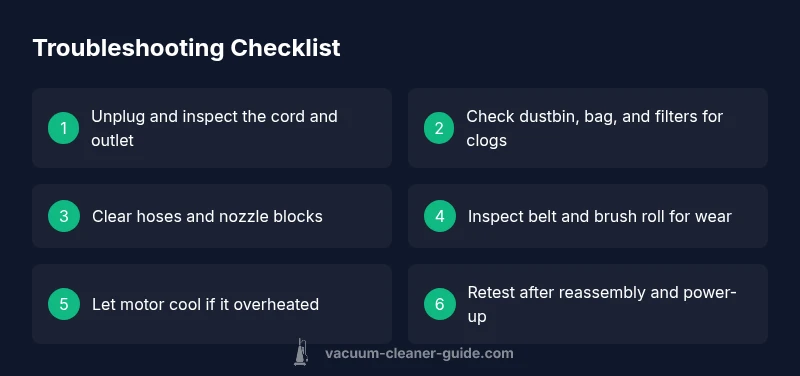
Steps
Estimated time: 45-60 minutes
- 1
Power safety check
Always unplug the vacuum before any inspection. Confirm the outlet works by plugging in another device. If the plug or cord shows damage, do not continue; replace the cord or the unit if needed. This step prevents shocks and fire hazards.
Tip: If you must wiggle the plug to get power, the cord is likely damaged and should be replaced. - 2
Inspect cord, plug, and switch
Carefully examine the power cord for cuts, kinks, or exposed wires. Test the switch by turning it on and off firmly; a loose switch can cause intermittent power. Replace faulty parts only when the unit is unplugged and the device is safe to handle.
Tip: Avoid using metal tools to probe inside the plug area — use a flashlight and magnifying glass if needed. - 3
Check dustbin, bag, and filters
Empty or replace a full dustbin/bag and clean or replace clogged filters. A blocked filter drastically reduces suction and can overheat the motor. Ensure components are completely dry before reassembly.
Tip: Keep spare filters on hand for quick swaps. - 4
Clear hoses and nozzles
Inspect the hose, wand, and attachments for clogs. Use a long object to gently push out obstructions from the end that’s accessible. Do not force hard objects through the hose.
Tip: If you can't remove a clog from one end, try the other end or detach attachments to gain access. - 5
Inspect belt and brush roll
With the device unplugged, check the belt for wear or snapping and inspect the brush roll for tangled hair or fibers. Replace worn belts and clean brushes to restore suction and performance.
Tip: Keep a spare belt kit handy for quick repairs. - 6
Test for overheating and reset
If the motor overheats, allow the unit to cool for 15-30 minutes, then restart. A tripped thermal switch is a common cause of sudden shutdowns after heavy use.
Tip: Don’t bypass the cooling period; repeated overheating can damage windings. - 7
Decide on repair or replacement
If you still can’t restore function, assess whether a professional repair or motor replacement is needed. Consider warranty status and model age in your decision.
Tip: Document symptoms and steps taken to help the technician diagnose faster.
Diagnosis: Vacuum won't start or stops mid-use
Possible Causes
- highPower issue (outlet, cord, or switch)
- mediumClogs in dustbin, filters, hose, or nozzle
- lowOverheating or motor/brush wear
Fixes
- easyTest outlet with another device; inspect cord and switch; reset or replace if needed
- easyClear clogs in hose, bin, and filter; replace full bag or bin
- mediumAllow motor to cool, check thermal fuse; replace belt/brush if worn; service if needed
FAQ
What are the most common reasons a vacuum stops working?
Most outages come from power issues, clogs, or worn components. Inspect the cord, outlet, switch, filters, and belts before seeking professional help.
Most outages are due to power, clogs, or worn parts. Start with simple checks before calling for service.
Why won’t my vacuum turn on even though the outlet seems fine?
Check the switch, fuse or breaker, and the cord for damage. Try a different outlet and ensure the unit is properly plugged in. If the problem persists, there could be internal wiring issues.
If the outlet works but the vacuum won’t turn on, inspect the switch and cord first, then consider internal wiring if needed.
Can a blocked filter cause suction loss but the unit still runs?
Yes. A clogged filter reduces airflow, causing suction loss and overheating. Replace or clean filters and empty the dustbin to restore performance.
A clogged filter can kill suction even if the motor runs. Clean or replace filters and clear the bin.
Is it safe to take apart the motor or electronics myself?
Only if you are trained. High-voltage components and capacitors pose serious risks. For most people, professional service is safer.
Don’t open the motor or electronics unless you’re trained; you can risk shock or further damage.
How often should belts be replaced?
Belts should be replaced when they look worn, stretched, or break. Check your manual for recommended intervals and replace promptly to maintain suction.
Check the belt if suction drops and replace when it’s worn.
What should I do if my vacuum is under warranty?
Contact the manufacturer or an authorized service center. Do not attempt non‑authorized repairs to avoid voiding the warranty.
If it’s under warranty, reach out to the maker or an authorized repair shop for guidance.
Watch Video
The Essentials
- Start with power checks and safety first
- Clean filters and clear clogs to restore suction
- Diagnose by symptom, not assumption
- Know when to call a professional or replace components