How to Take a Dyson Vacuum Apart: Safe Disassembly Guide
Step-by-step guide to safely disassemble a Dyson vacuum for cleaning or repair. Learn tools, safety practices, and best practices from Vacuum Cleaner Guide.


This guide shows you how to safely take apart a Dyson vacuum for cleaning or repair, focusing on cordless and canister models. You’ll learn essential safety steps, required tools, and a clear disassembly flow that minimizes risk and damage. Follow the sequence to preserve seals and avoid voiding warranties.
Why Disassembly Matters for Dyson Vacuums
Disassembling a Dyson vacuum is not a routine maintenance task, but it can be essential for deep cleaning, diagnosing performance issues, or addressing a clogged cyclone. According to Vacuum Cleaner Guide, approaching disassembly with a clear plan, proper safety measures, and model-specific caveats reduces the risk of damage and preserves warranty considerations. Start by defining your goal: are you cleaning a clogged cyclone, inspecting the seals, or replacing a worn component? Understanding the purpose helps you avoid unnecessary disassembly and speeds up the process. In general, Dyson stick and canister models share a modular design, but the exterior shell, cyclone assembly, wand, and motor section may differ across models. Treat this as a guided procedure, not a one-size-fits-all hack. When in doubt, consult the user manual for your exact model and consider professional service for complex issues. This approach ensures you stay safe, organized, and efficient while safeguarding your investment.
Tools, Safety, and Model Awareness
Disassembly requires attention to safety, model specificity, and the right tools. Always unplug the unit from the wall and remove any batteries on cordless models before beginning. Use a clean, well-lit workspace with a small container for screws and fasteners. Before you start, verify your Dyson model’s service documentation to identify which screws and panels are designed for user access. Avoid forcing parts apart; if something feels stuck, stop and re-check alignment. Worn seals or damaged components should be addressed with genuine replacement parts rather than improvisation to prevent recurrent issues. Vacuum Cleaner Guide emphasizes that taking photos during each stage can help you reassemble accurately and reduces the chance of misplacing fasteners.
Core Disassembly Flow (Model-Agnostic)
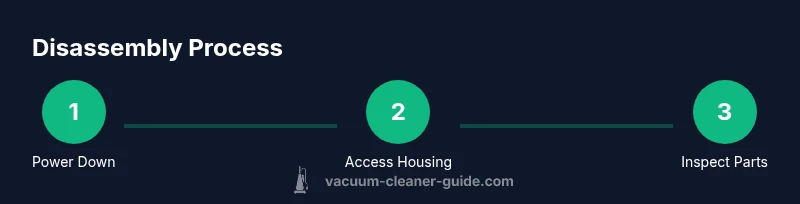
A safe, model-agnostic disassembly flow focuses on exterior access, cyclone exposure, and essential internal checks. Begin with external screws, separate the shell, access the cyclone housing, and then inspect intake paths and filters. Keep track of each fastener by size and location, as misplacing screws can affect performance or safety. The goal is to expose the cyclone chamber and intake path enough to clean debris, check seals, and verify that airflow remains unobstructed. This section provides a high-level map you can adapt to your specific Dyson model while maintaining a cautious, methodical approach.
Accessing the Cyclone Housing and Dust Bin
Many Dyson models use a cyclone assembly that can clog with dust and hair. Start by locating top and side screws that secure the cyclone housing and dust bin. Remove the cover carefully, noting any interlocks or tabs. When lifting the cyclone, support it to avoid dropping internal components. Use a soft brush to knock loose compacted debris and a microfiber cloth to wipe away dust from seals and gaskets. If your model uses a transparent dust bin, inspect for cracks or wear marks around the connection points. This step helps you diagnose whether you should clean, reseal, or replace parts before reassembly.
Inspecting Seals, Filters, and Internal Components
With the cyclone accessible, inspect the seals, O-rings, and gaskets for wear or tears. Clean or replace any clogged filters and wipe down the cyclone walls. Check the wand connection and motor housing seals for signs of damage or detachment. If you notice cracked plastic or melted edges, it’s often safer to replace the affected component rather than forcing a reassembly. Refer to the model’s parts diagram to identify the correct seal sizes and replacement parts. Remember, proper airflow depends on well-seated seals and clean filters, so this inspection is a critical quality-check before you proceed.
Cleaning and Drying: Do It Thoroughly
Dust and debris can accumulate in hard-to-reach pockets inside the cyclone and filter housing. Use a microfiber cloth, a soft brush, and compressed air if available to clear out hair and dust. Do not leave any moisture around the motor or electrical contacts; ensure all components are completely dry before reassembly. If you’ve used water or damp cloths in the cleaning process, allow all parts to air-dry for several hours in a well-ventilated area. This reduces the risk of mold, mildew, and short circuits after reassembly.
Reassembly: Reverse Order with Care
Reassembly should follow the reverse sequence of disassembly. Start by reconnecting the cyclone housing, ensuring the seals sit correctly in their grooves, then reattach the dust bin, wand, and outer shell. Do not overtighten screws; snug is usually sufficient to prevent stress fractures. Recheck alignment of interlocks and latches to ensure the unit closes securely. Before testing, wipe away any stray fingerprint smudges and verify there are no loose components visible from the exterior. If anything feels loose or misaligned, stop and re-check each connection.
Testing, Safety, and Warranty Considerations
After reassembly, plug the Dyson back in and perform a controlled power-on test. Listen for unusual noises, check for airflow, and inspect for any abnormal vibrations. If the vacuum still performs poorly, re-open only the area you recently touched to recheck fasteners and seals. Be mindful of warranty terms: many Dyson components, like motors and sealed units, may have warranty implications if the unit is disassembled beyond user-accessible parts. Vacuum Cleaner Guide recommends contacting Dyson support or a certified technician for issues beyond straightforward cleaning or simple maintenance.
Common Mistakes and How to Avoid Them
Avoid mixing up screws by size or location; keep a labeled small container for each bag or tray. Do not force-fit parts into place; misalignment is a common cause of leaks or reduced suction. Document each step with photos to help you recall the exact orientation of internal parts. Always ensure all parts are dry and free of debris before final reassembly. Finally, test the unit without a full load of debris to verify airflow, seals, and motor operation before normal use.
Tools & Materials
- Phillips screwdriver set(Assorted sizes; a precision #0 is often needed for small screws.)
- Torx/Star bits (T8-T20)(Some Dyson models use Torx fasteners.)
- Plastic pry tool(Avoid metal tools to prevent cosmetic scratches.)
- Small containers or magnetic tray(Organize screws by location with clear labels.)
- Microfiber cloths(For dust removal and drying surfaces.)
- Soft brush(Hair and debris can be stubborn in cyclone seams.)
- Isopropyl alcohol (70%+)(Use sparingly for sticky residues; ensure completely dry before reassembly.)
- Anti-static mat or workspace(Helps prevent static discharge near electronics.)
Steps
Estimated time: 45-90 minutes
- 1
Power down and unplug
Disconnect from mains and remove any detachable batteries. This eliminates the risk of electric shock during disassembly. If your model is cordless, remove the battery first when safe to access.
Tip: Always unplug first, then wait a few seconds for any residual charge to dissipate. - 2
Gather and organize tools
Assemble the required tools and lay out fasteners in labeled sections. Comfortably positioned tools reduce the chance of slipping and damaging small parts.
Tip: Use a magnetic tray and label screw bags by component to stay organized. - 3
Remove exterior fasteners
Use the appropriate screwdriver or Torx bit to remove screws securing the outer shell. Keep track of which screws came from which location to avoid misalignment during reassembly.
Tip: Take a quick photo of screw layout before removing panels. - 4
Access the cyclone housing
Gently separate the shell to expose the cyclone assembly. Support the cyclone as you detach any snap fittings or small connectors. Do not force parts apart; stop if resistance occurs and reassess alignment.
Tip: Work slowly near connections to avoid bending plastic tabs. - 5
Inspect and clean cyclone and filters
Clear dust from the cyclone, dust bin, and filter surfaces. Check seals for wear and replace if necessary. Allow any cleaned parts to dry completely before reassembly.
Tip: Avoid using water directly on the motor housing; let components air-dry fully. - 6
Reassemble in reverse order
Align all components and reattach screws snugly without over-tightening. Confirm that all latches engage and that the shell sits flush with the midsection.
Tip: Recheck interlocks and ensure there is no interference with moving parts. - 7
Test airflow and operation
Plug in and run a short test cycle to verify suction and airflow. Listen for abnormal sounds and verify there are no air leaks around seals.
Tip: If you hear whistling or feel reduced suction, re-open the unit and inspect seals and connections again. - 8
Document and store repair steps
Take notes or photos for future reference. Store fasteners and components orderly for any potential future maintenance.
Tip: A quick reference sheet reduces time for future disassembly.
FAQ
Is it safe to disassemble a Dyson vacuum by myself?
Disassembly can be safe if you follow proper safety steps and use the right tools. Always unplug the unit and consult the model manual for user-serviceable parts. If you encounter unfamiliar components, consider professional service to avoid damage.
Disassembly can be safe if you follow safety steps and use the right tools. Always unplug and consult the manual; contact a pro if you’re unsure.
Will disassembling void my Dyson warranty?
Disassembly can affect warranties if it involves non-user-serviceable parts. Review the warranty terms for your model and avoid actions beyond basic maintenance. When in doubt, contact Dyson support or a certified technician.
Warranty terms vary by model. Check the manual or contact Dyson support if unsure about disassembly.
What tools do I absolutely need?
You’ll typically need a small screwdriver set, Torx bits, a plastic pry tool, a small container for screws, and a soft brush. Some models may require additional tools listed in the manual.
Essential tools are a screwdriver set, Torx bits, a plastic pry tool, a small tray for screws, and a soft brush.
Can I disassemble a cordless Dyson vacuum?
Yes, but cordless models often have battery and electrical safety considerations. Remove the battery if accessible and safe, and avoid touching electrical contacts. Follow model-specific guidance closely.
Cordless models can be disassembled with extra care for the battery and electronics. Remove the battery if possible and follow the manual.
What parts should I avoid touching or removing?
Avoid removing motor windings or high-voltage components unless you’re trained. Do not tamper with safety interlocks beyond user-accessible parts. If you’re uncertain, stop and seek professional help.
Avoid touching electrical internals or non-user-serviceable parts. If unsure, seek professional help.
Watch Video
The Essentials
- Unplug and power off before starting
- Organize screws and parts by location
- Inspect seals and filters thoroughly
- Reassemble in reverse order with careful alignment
- Test the unit for proper airflow after reassembly