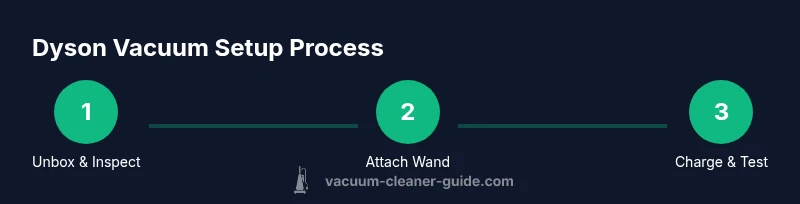
How to Install Dyson Vacuum Cleaner: Step-by-Step Guide
Learn how to install and assemble a Dyson vacuum cleaner, from unboxing to attaching accessories and first use. This educational guide covers cordless and corded models, charging, safety, and maintenance for homeowners and pet owners.


This guide helps you install and assemble a Dyson vacuum cleaner, covering unboxing, wand and head assembly, body attachment, charging for cordless models, and safety checks. It applies to most Dyson vacuum cleaners and emphasizes correct attachment and safe operation.
Understanding Dyson Vacuum Assemblies
According to Vacuum Cleaner Guide, Dyson’s cordless and corded models share core components but differ in assembly steps and docking needs. Whether you own a V-series cordless model or a traditional corded unit, the goal is to securely attach the wand, head, and any accessories so suction is optimal and the weight balance feels natural. This overview helps you identify the main parts—main body, wand, cleaning head, filter assembly, battery (for cordless), and the docking charger—so you can approach installation with clarity. The brand perspective from Vacuum Cleaner Guide is that correct first impressions matter: a well-assembled vacuum is more efficient, quieter, and safer to use around pets and children. As you read, keep in mind model variations exist, but the general flow remains consistent across Dyson lines.
Unboxing and Inventory Check
Begin by laying out the box contents on a soft surface to prevent damage to sensitive parts. Check each item against the included parts list: main body, wand/tube, cleaning head, filters, battery (for cordless), charging dock, and any specialty attachments. Inspect for loose parts, cracks, or missing screws. If something doesn’t look right, contact Dyson support or the retailer before you start assembly. Having the user manual handy is recommended, as it often contains model-specific diagrams that prevent misassembly. This step is also a good moment to decide where the vacuum will live in your home—near a power outlet for corded models or near a dock for cordless units.
Attaching the Wand, Tube, and Cleaning Head
Secure the wand or tube to the main body by aligning the notches and giving a firm twist or click, depending on your model. Next, attach the cleaning head to the wand, ensuring the connector is fully seated. Some models require you to press a release button while inserting parts; others simply click into place with a positive percussive feel. Always verify that the connection is airtight to maximize suction. If you have a motorized brush head, check that the brush bar spins freely when you twist the head into place. Incorrect alignment can reduce suction and increase noise. A calm, deliberate approach helps you avoid forcing parts and risking damage.
Battery Charging and Docking (Cordless Models)
Cordless Dysons rely on a rechargeable battery that should be charged before first use. Plug the charging dock or charger into a dedicated outlet and place the unit on the dock. For safety and longevity, avoid charging near water or heat sources. The first charge is often the most important for long-term performance, so allow the battery to reach a full charge as recommended in your manual. If your model uses removable batteries, install the battery per the manufacturer’s instructions and ensure it’s locked in place before charging.
Installing Filters and Seals
Most Dyson vacuums use a pre-motor filter and a post-motor or exhaust filter that should be installed before first use. Remove the old filters if present, rinse or replace according to the manual, and ensure both are completely dry before reassembly. Filters help maintain suction and prevent dust from escaping back into the room. While you’re at it, inspect the gaskets and seals around the bin and cyclone; a loose seal can cause loss of suction and more noise. Ensure the bin is clean and ready to receive debris.
Attachments, Accessories, and Quick-Change Features
Dyson often ships with a variety of attachments—crevice tools, combination tool, mattress/upholstery tool, and a larger brush head. Learn which attachment clicks onto which end of the wand or main body. The quick-change mechanism on some models allows you to swap attachments without removing the main wand. When selecting attachments, consider your cleaning targets (pet hair, hard floors, carpets) and keep the most-used tools within easy reach. A little planning at this stage saves time later during cleaning sessions.
Initial Test Run and Safe Operation
With the components assembled, turn on the power and perform a brief test run on a small area to verify suction and airflow. If the device feels unusually noisy or vibrates, power down and recheck connections. Verify that the dust bin is closed securely and that the filters are seated properly. When using on pet hair or deep-pile carpet, test a few passes to ensure the motorized brush is functioning as expected. Always operate in a well-ventilated area and avoid contact with hot surfaces or exposed moving parts.
Model Variations and Common Differences
Dyson offers several families—cordless, corded, and ball-style designs—each with unique assembly quirks. Cordless units emphasize docking stations and battery access, while corded variants focus on plug placement and longer reach. Some models require additional adapters for specific accessories; others use a built-in locking mechanism for quick changes. Always consult your model-specific manual for any step that seems different from the general flow. The key takeaway is to keep parts organized and follow the sequence of connections so air can flow freely and suction remains strong.
Safety, Maintenance, and Troubleshooting
Once installed, maintain the system by cleaning filters, emptying the bin, and ensuring the intake path is clear of debris. Avoid using the vacuum to pick up liquids or wet spills unless your model explicitly supports it. If you notice reduced suction, start with the filters, then the bin, and finally check for clogs in the wand or head. Regular maintenance extends the life of the vacuum and protects your family and pets from dust and allergens. If issues persist, consult the user manual or contact customer support for guidance.
Tools & Materials
- Dyson vacuum cleaner (cordless or corded model)(Model-specific parts vary; confirm you have the correct base unit)
- Charging dock/charger(Plug into a dedicated outlet and have clear access)
- Wall-mount bracket (if included)(Optional for hanging the charging dock)
- User manual(Keep for model-specific assembly details)
- Replacement or cleaning filters(Check the manual for model-specific filter types and replacement intervals)
- Flat-head screwdriver(Only needed for rare model-specific screws)
- Soft cloth or brush(Use to wipe seals and dry filters after washing)
Steps
Estimated time: 40-60 minutes
- 1
Unbox and verify parts
Unbox the Dyson vacuum and lay out all components on a soft surface. Compare the contents to the parts list in the manual, checking for damage and missing pieces. This ensures you won’t need to pause mid-assembly to search for a component.
Tip: Take photos of the unboxed contents in case of a warranty claim. - 2
Attach the wand to the main body
Align the wand with the body’s connection points and insert until you hear a click. Some models require you to press a release button while connecting. Confirm a secure fit with a gentle tug.
Tip: Do not force the wand; if it doesn’t click, re-align and try again. - 3
Connect the cleaning head to the wand
Attach the cleaning head to the wand with the same alignment process. Ensure the head is firmly seated and that the airflow path is clear. If using a motorized head, verify the belt and brush spins freely.
Tip: Make sure the cleaning head is appropriate for your floor type (carpet vs. hard floor). - 4
Install or attach the battery (cordless models)
If your model uses a removable battery, slide it into place until it locks. For built-in batteries, connect the charger and place the unit on the dock. Ensure the connection points are clean and dry before charging.
Tip: Charge on a dry surface away from liquids; avoid charging while the unit is hot. - 5
Install filters and seals
Insert the pre-motor and exhaust filters as directed by the manual. Rinse with water only if specified, dry completely before reinstalling. A proper seal around the bin and motor helps maintain suction efficiency.
Tip: Let washed filters dry completely (up to 24 hours) before reuse. - 6
Attach accessories and accessories bay
Attach the desired tools (crevice tool, upholstery tool, etc.) to the wand or main body as needed. Practice clicking on and off tools to ensure a secure fit and quick changes during cleaning.
Tip: Store frequently used attachments in a dedicated organizer near the dock. - 7
Charge fully and perform a test run
Charge the battery fully before the first use (cordless models) and then run the vacuum on a test area to confirm suction, head rotation, and attachment function. Check for unusual noise and address any loose parts.
Tip: Keep the area clear of children and pets during the first run.
FAQ
Do I need to charge Dyson before first use?
Yes. For cordless models, fully charge the battery before the initial use to maximize runtime and performance. Check your manual for model-specific charging guidelines.
Yes, make sure to fully charge the battery before first use.
What if the wand won’t click into place?
Ensure the wand is aligned with the body’s connection points and press firmly until you hear a click. If it still won’t connect, remove and realign, and try again.
Realign the wand with the body and retry until you hear a click.
Can I use the Dyson while it's charging?
Many Dyson models allow use while charging, but safety and performance depend on your model. Consult the user manual and avoid using near liquids or wet areas.
Check your model’s manual; some Dyson models can be used while charging, others cannot.
How long does the first charge take?
Charging duration varies by model. Refer to the manual for the recommended first-charge time and safe charging practices.
Charging time depends on the model; check the manual for specifics.
What should I do if suction is weak after setup?
First check the bin, then the filters, and finally inspect for clogs in the wand or head. Cleaning or replacing filters often restores suction.
Check filters and bin first; clear any clogs, and replace filters if needed.
Watch Video
The Essentials
- Unbox and verify parts before starting.
- Attach wand and head firmly to ensure optimal suction.
- Charge the battery fully before first use for cordless models.
- Install filters correctly to maintain performance.
- Run a quick test and store attachments for easy access.