Why Your Vacuum Spits Dirt: Troubleshooting Guide
A practical, step-by-step guide to diagnose and fix vacuums that spit dirt, with quick wins, safe checks, and prevention tips for homeowners and pet owners.


Most often, a vacuum spits dirt because the bag or bin is full or a filter is clogged, reducing airflow. Quick fix: unplug, empty or replace the bag/bin, clean or replace filters, and check hoses and the nozzle for blockages. If debris continues, inspect seals or the cyclone for air leaks before calling a professional.
Understanding the symptom
When a vacuum spits out dirt, it typically indicates airflow problems. Homeowners report seeing dust blasts or a stubborn stream of debris from the nozzle while the machine runs. This behavior is different from normal dust release during emptying. The first clue is whether the dirt is coming from the pickup path or from an exhaust vent. In many cases, brand-new or well-maintained vacuums should not expel dirt mid-run. According to Vacuum Cleaner Guide analysis, resolving airflow issues quickly reduces dirt exposure and preserves filter life.
Airflow problems often start small and worsen with time if ignored. If you notice the dirt streaks occurring only after a certain amount of use, or after picking up something heavier than usual, it is a strong signal to pause and inspect the air path for blockages and leaks.
Common causes at a glance
- Full bag or bin: When the bag is saturated or the canister is full, suction drops and dirt can be forced back through the path. This is the most frequent culprit.
- Dirty or clogged filters: Filters trap dust, and when they’re clogged, airflow stalls, pushing debris back toward the nozzle.
- Damaged hose, wand, or nozzle: Leaks in hoses create alternate air routes that can push dirt outward rather than into the bag or bin.
- Blocked cyclone or separator (bagless models): Cyclones rely on airflow to separate fine dust; a clog disrupts this flow.
- Worn seals or loose connections: Gaps near the door seal, nozzle, or body seams let air bypass the intended path, carrying dirt out.
- Brush roll jam or misalignment: A stuck brush can increase resistance and break suction patterns, causing dirt to leak through seals or gaps.
Airflow and path design: why dirt escapes
Airflow is the script that tells dirt where to go. A clogged filter or full bag reduces suction, causing a pressure drop that can reverse flow briefly. In bagless designs, a blocked cyclone or clogged separator forces air and dust to take the easiest route, which is often back through the nozzle. Degraded seals also compromise the designed airflow, allowing dirty air to circumvent the intake path. Regular checks keep the airflow path clear and prevent dirt from blasting out mid-clean.
Visual checks you can perform safely
Before you touch moving parts, unplug the vacuum and set it on a stable surface. Perform these quick checks:
- Inspect the dust bag or bin capacity and replace or empty if full. Do not overload.
- Look at every filter and clean or replace as needed; don’t reuse visibly dirty filters.
- Examine hoses, wand, and nozzle for visible cracks or disconnections; reconnect or replace as needed.
- Check the cyclone/separator area for clogs (bagless models) and clear if accessible.
- Inspect the brush roll for hair tangles that block airflow.
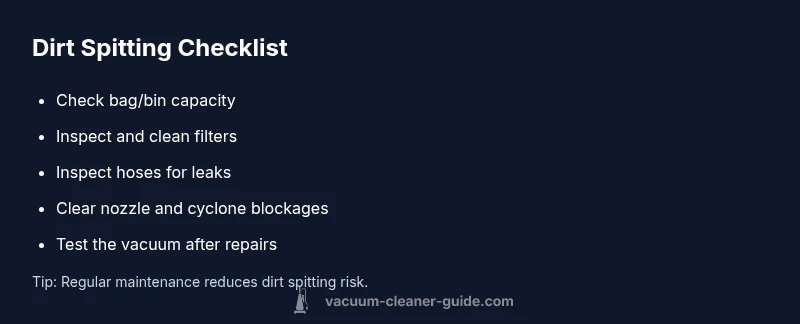
- Reassemble and test on a small sample of debris to confirm improved suction.
If you’re unsure about accessing certain areas, consult your manual or a professional.
Troubleshooting flow: quick checks and decisions
Use a systematic approach to avoid guesswork:
- If the bag/bin is full, replace/empty and test.
- If the filter looks dirty, clean or replace and test.
- If there are obvious hose or nozzle leaks, repair or replace the damaged section and test.
- If dirt still spits after these steps, check the cyclone or seal integrity (bagless models) and consider professional service if the issue persists.
- In all cases, re-test after each fix to identify the current source of the problem.
Maintenance habits to prevent future spitting
Preventive care keeps dirt from blasting out again:
- Establish a monthly inspection routine for bags, filters, hoses, and seals.
- Replace filters every few months or as recommended by the manufacturer.
- Clean the cyclone/separator area if you own a bagless model.
- Keep the vacuum stored upright to prevent grease or dust from collecting in the filter path.
- Consider model-appropriate upgrades (filters or seals) that improve airflow and reduce debris ejection.
When to call a professional and what to expect
If dirt continues to spit after performing the basic maintenance steps, there may be deeper problems such as a damaged motor, compromised internal seals, or a cracked housing. A trained technician can diagnose airflow leaks with professional equipment, test motor performance, and replace worn components. If you notice unusual noises, smoke, or overheating during use, stop using the unit and seek service immediately.
Real-world scenarios and quick tips
Pet owners may notice more dirt spitting after shedding seasons, while households with hardwood floors often see more dust being expelled when filters are due for a change. In bagless models, a clogged cyclone is a frequent driver for dirt ejection. A simple rule of thumb is: if you haven’t checked the airflow path in a while, start there. Regular maintenance and timely part replacements dramatically reduce dirt spit incidents over the vacuum’s lifetime.
Steps
Estimated time: 45-60 minutes
- 1
Power down and prep for inspection
Unplug the vacuum, detach the wand if needed, and lay out a clean workspace. Gather a flashlight, a screwdriver (if required by your model), and a replacement bag or filters. This ensures you can safely access the bag area and airflow path without risk of electrical shock.
Tip: Take a photo of connections before disassembly to aid reassembly. - 2
Check the bag or bin capacity
If using a bag, remove and replace with a new bag. If bagless, empty the bin and wipe it clean. Ensure there is no loose debris blocking the opening that could be re-entrained into the air path.
Tip: Never reuse or compress old bags; it reduces suction further. - 3
Inspect and clean filters
Remove every filter, tap out loose dust, and rinse or replace as directed by the manufacturer. Let filters dry completely before reinstalling to avoid mold or wet clumps clogging the path.
Tip: Avoid washing HEPA filters unless the manual specifies; some filters require dry cleaning only. - 4
Check hoses, wand, and nozzle
Inspect hoses and connections for cracks, holes, or loose fittings. Detach and re-seat the wand; clear any hair or fibers tangled near the entrance. Reassemble tightly to restore the intended airflow path.
Tip: Use a flexible microfiber duster to extract stubborn debris from tight bends. - 5
Inspect cyclone/separator (bagless models)
For bagless units, examine the cyclone or separator for clogs. Use a long brush to loosen settled dust and run a gentle air blast (if the design allows) to restore separation efficiency.
Tip: Do not use sharp objects that could damage the cyclone walls. - 6
Test and reassess
Reassemble the vacuum, plug in, and run a small test on a non-dusty surface. Observe whether dirt still ejects. If the issue persists, consider professional service or model-specific advice from the manual.
Tip: Keep a small log of fixes tried to avoid repeating steps.
Diagnosis: Machine spits dirt during operation
Possible Causes
- highFull bag or bin
- highDirty or clogged filters
- mediumLeaking hoses or loose connections
- mediumBlockage in cyclone/separator (bagless models)
- lowWorn seals or damaged nozzle
Fixes
- easyCheck and replace/empty bag or bin; ensure not overfilled
- easyClean or replace filters; dry completely before reuse
- easyInspect hoses, wand, and nozzle for cracks or disconnections; reseal or replace
- mediumInspect cyclone/separator and clear blockages (bagless models); ensure correct airflow path
- mediumCheck door seals and gaskets; replace if worn or damaged
FAQ
Why is my vacuum spitting dirt after I emptied the bag?
An overfilled bag or bin traps dust and reduces suction, often forcing dirt back into the path. Replacing or emptying the bag and testing the unit usually resolves it.
If your bag is full, empty or replace it, then test the vacuum to see if the issue clears up.
Can a dirty filter cause dirt to spit from the vacuum?
Yes. A clogged filter restricts airflow and can push dust back toward the nozzle. Clean or replace filters and re-test.
A dirty filter reduces airflow, so clean or replace it and check if the problem disappears.
What about leaks in the hose or seals?
Holes or loose connections divert air and can cause dirt to escape. Inspect hoses and seals, reseat fittings, and replace damaged parts.
Check hoses for leaks and reseal or replace faulty parts to restore proper suction.
Is it safe to use a bagless cyclone vacuum after cleaning?
Bagless models can be safe if the cyclone and separators are clear of blockages. Clean the cyclone and ensure proper reassembly after maintenance.
If the cyclone is clogged, clear it carefully and reassemble before testing.
When should I call a professional?
If dirt continues to spit after all basic fixes, the issue may involve internal seals, motor problems, or extensive airflow leaks. A professional can diagnose and replace worn components.
If basic fixes don’t help, it’s time to get a pro to check for deeper issues.
The Essentials
- Start with easy fixes: empty bag and clean filters
- Airflow problems cause dirt spitting
- Inspect hoses and seals for leaks
- Clear nozzle or cyclone blockages as needed
- Regular maintenance prevents future incidents