Why Is My Vacuum Cleaner Overheating and Switching Off? A Practical Troubleshooting Guide
Urgent, practical guide to diagnose why your vacuum overheats and shuts off, with safe steps, a diagnostic flow, and prevention tips to keep it cool.


Overheating and automatic shutdown in a vacuum are usually caused by restricted airflow or a clogged filter. Start with safe steps: unplug the unit, inspect the filter, hose, and brush roll for blockages, and clean or replace components as needed. If the problem persists after cooling, reassess airflow, and consider a professional check for motor or thermal fuse issues.
Common Causes of Overheating
Overheating in a vacuum is typically the result of airflow restrictions or excessive load on the motor. The most common culprits include a dirty or clogged filter, a full dustbin or bag, and blockages in the intake hose or wand. Hair and debris can wrap around the brush roll, increasing resistance and heat. In some cases, a damaged belt or worn motor bearings can force the vacuum to work harder and heat up more quickly. Using the vacuum on high-pile carpet or an extremely tight space can also trap heat. Regular daily use doesn't always expose these issues, so periodic maintenance is essential to prevent overheating and protect motor life. Vacuum Cleaner Guide’s guidance emphasizes proactive filtration, airflow, and debris management to keep your machine cool.
Common culprits at a glance
- Clogged filters and bags
- Hair or debris on the brush roll
- Blocked hoses or ducts
- Excessive load on high-resistance surfaces
- Worn belts or motor components
If you notice a burning smell or smoke, stop immediately and unplug the unit. Do not continue running a machine that feels unusually hot, as sustained heat can cause permanent damage. Regular maintenance and mindful operation dramatically reduce the risk of overheating.
Immediate Checks You Can Perform Safely
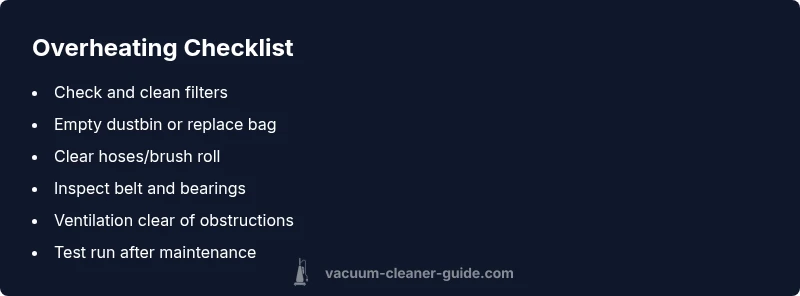
Before diving into deeper diagnostics, perform quick, safe checks that often resolve overheating issues. First, unplug the vacuum and let it cool for a few minutes. Then inspect and empty the dustbin or replace the bag if needed. Check the filters—wash or replace if they are dirty or clogged. Remove hair and debris from the brush roll and ensure the belt moves freely. Inspect the hose and wand for blockages and clear any obstruction. Finally, verify that the vacuum vents are unobstructed and that you are not forcing the vacuum against a stubborn obstruction. If you can’t clear a blockage or the unit still gets hot after cooling, you may have a more serious issue requiring professional service.
Checklist for quick safety checks
- Unplug and cool the unit
- Empty dustbin or replace bag
- Clean/replace filters
- Clear brush roll of hair
- Inspect hose for clogs
- Ensure vents are clear
- Avoid pushing through tight blockages
How Airflow and Filtration Impact Temperature
Airflow is the lifeblood of a vacuum. When filters are dirty, dust accumulates, and suction drops, the motor has to work harder to pull air through, generating more heat. A blocked intake or clogged filter creates a bottleneck, raising internal temperatures and triggering safety shutdowns to prevent damage. Regular filtration maintenance maintains optimal airflow and keeps temperatures in a safe range. Be mindful that even new filters can degrade if used beyond their intended lifespan, so follow replacement intervals appropriate for your model. Understanding this relationship helps homeowners prioritize cleaning schedules and avoids unexpected shutdowns.
Key principles
- Clean air flow equals cooler operation
- Filter health directly affects suction and heat
- Thermal safety switches activate to protect the motor
By prioritizing airflow health, you minimize overheating risk and extend the life of your vacuum.
More Complex Causes and When to Seek Help
If basic maintenance doesn’t fix the problem, more advanced causes could be at fault. Worn motor windings, a failing thermal fuse, or damaged capacitors can cause overheating and shutdowns that aren’t resolved by cleaning. A worn brush assembly or a failing cooling fan can also raise temperatures quickly. Electrical issues, such as frayed wiring or a faulty switch, may present as intermittent overheating. In these scenarios, it’s safer to seek professional repair, especially if your device is under warranty, or if you notice burning smells, smoke, or unusual noises. A qualified technician can diagnose insulation faults, test motor load, and verify safety switches without risking personal injury.
When to call a pro
- Persistent overheating after cleaning and cooling
- Burning smells, smoke, or unusual noises
- Warranty protection or suspected electrical fault
Prevention: How to Keep Your Vacuum Cool
Prevention is the best remedy for overheating. Establish a regular maintenance routine that includes periodic filter cleaning or replacement, brush roll upkeep, and dustbin management. Store the vacuum in a cool, dry location away from direct sunlight, and avoid forcing it through blocked passages. Use appropriate attachments for the surface you’re cleaning to reduce motor strain. Finally, keep an eye on performance indicators like reduced suction or strange smells, and address issues promptly to prevent heat buildup from becoming a bigger problem.
Prevention tips
- Schedule regular filter checks and replacements
- Clean the brush and remove hair accumulation
- Check hoses and ducts for obstructions
- Store in a cool, dry place
Steps
Estimated time: 30-60 minutes
- 1
Power off and unplug
Always start by unplugging the vacuum to prevent shocks or injury. Allow the unit to cool fully before touching any components.
Tip: Never poke into hot parts; wait until it feels cool to the touch. - 2
Empty the dustbin or replace the bag
A full bag or bin forces the motor to work harder and can cause heat buildup. Clear out debris and replace bags if needed.
Tip: Dispose contents safely and check for any odor that may indicate moisture or mold. - 3
Clean or replace filters
Wash washable filters and let them dry completely, or replace disposable ones. Dirty filters restrict airflow and raise temperatures.
Tip: Follow manufacturer guidelines for drying times to avoid mold growth. - 4
Inspect the brush roll and belt
Check for hair wrapped around the brush and remove it. If the belt looks frayed or stretched, replace it.
Tip: Turn off and unplug before handling the brush area to avoid injury. - 5
Check hoses and ducts for blockages
Look for kinks or clogs in the hose and attachments. Clear any obstruction with a flexible rod or broom handle.
Tip: Do not use sharp tools that could puncture the hose. - 6
Test run after reassembly
Reassemble, plug in, and run on a low-to-moderate setting for a few minutes to observe heat and suction.
Tip: If it still gets hot quickly, power down and move to the next step. - 7
Escalate to professional help if needed
If overheating persists after all checks, a professional repair may be required to inspect motor windings, fuse, or electrical components.
Tip: Document symptoms and steps you performed to speed up the diagnostic process.
Diagnosis: Vacuum overheats and shuts off during or after use
Possible Causes
- highRestricted airflow due to dirty filters or blockages
- mediumFull dustbin or bag causing suction loss and heat
- lowWorn brush roll or belt increasing load on motor
- lowMotor or thermal fuse failure
Fixes
- easyUnplug and cool the unit, then clean or replace filters and empty dustbin
- easyClear blockages in hoses, ducts, and brush area; remove hair from brush roll
- mediumInspect and replace worn belts or misaligned brush roll; test suction
- hardIf heat persists after basic maintenance, consult a professional for motor/thermal fuse diagnosis
FAQ
Why does my vacuum cleaner overheat and switch off after a few minutes?
Common causes include blocked airflow, clogged filters, or a full dustbin. After cooling, check for blockages and clean components. If it repeats, there may be a motor or fuse issue requiring professional service.
Overheating is usually due to airflow problems or a dirty filter. After cooling, clear blockages and inspect components; persistent heat may need a professional repair.
What should I do first when my vacuum overheats?
Unplug the unit and let it cool. Then inspect and clean filters, check for blockages in hoses and ducts, and remove hair from the brush roll.
First unplug and cool it, then clear filters and any blockages.
Can a clogged filter cause reduced suction and overheating?
Yes. A clogged filter restricts airflow, causes the motor to work harder, and can lead to heat buildup and shutdown.
A dirty filter reduces airflow and can make the motor overheat.
Is it safe to keep using a vacuum that overheats?
No. If overheating occurs, stop and unplug the unit. Continuing to use it can damage the motor or pose a fire risk.
No—stop using it and investigate the cause before retrying.
When should I seek professional repair for my vacuum?
If overheating persists after cleaning and basic checks, a professional repair is advised to inspect motor windings or electrical components.
If it keeps overheating after you clean and check basics, a professional repair is recommended.
Watch Video
The Essentials
- Check airflow and filters first.
- Clear all blockages in hoses and brush area.
- Replace worn belts or brushes to reduce load.
- Seek professional help if overheating repeats.