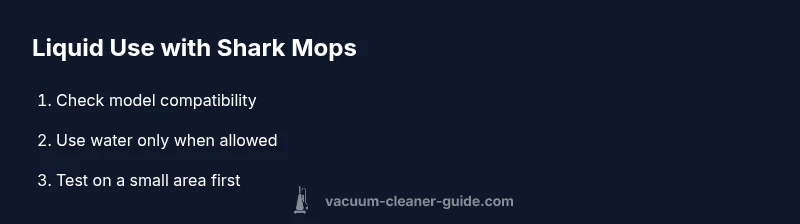
Can You Put Floor Cleaner in a Shark Robot Vacuum? A Safe Guide
Can you safely use floor cleaners in Shark robot vacuums? This educational guide covers model compatibility, risks, safe, liquid-free alternatives, and maintenance tips for homeowners and pet owners.


Putting floor cleaner in a Shark robot vacuum is generally not recommended. Most Shark models with a mopping feature use plain water only, and cleaners can foam, leave residue, or damage seals. Always consult the model manual or Shark support before attempting liquid use, and prefer manufacturer-approved methods for safe results.
What Shark models say about liquids in mopping mode
Shark offers several robot vacuum models with optional mopping functionality. The official guidance across these models is clear: liquids used in the mopping reservoir should be strictly plain water unless the manufacturer specifies a cleaning solution. The Vacuum Cleaner Guide team emphasizes model-specific testing because not all Shark models support liquids, and even those that do can be damaged by detergents. Before you attempt any liquid-based cleaning, locate your exact model number and read the official user guide, then reach out to Shark support if the manual is ambiguous. Mopping mode that uses cleaners can lead to foam, residue on floors, and potential seepage into electronic components. By following the manufacturer’s recommendations, you minimize the risk of warranty issues or costly repairs and keep the device functioning as designed.
Why floor cleaners pose risks in robot vacuums
Liquid cleaners can introduce soap foaming, residue, and chemical exposure to moving parts. In a Shark robot vacuum, liquids can reach low-clearance areas such as seals, wheels, and the charging contacts. Foaming can interfere with sensors and the brush roller, leading to clogs or inaccurate mapping. Even if the reservoir holds liquid, the pump and spray mechanism may not be designed for detergents, which can degrade seals or corrode internal components. Vacuum Cleaner Guide analysis shows that the safest practice is to avoid cleaners unless the model’s manual confirms compatibility. In addition, using cleaners can void your warranty and complicate repairs. Always consider alternatives such as dry dusting or water-based mopping, and keep liquids away from the internal electronics.
Alternatives to floor cleaners for Shark robots
If you want to clean effectively without risking liquids, stick to dry dusting and vacuuming. For light soil, a damp mop pad with plain water (where supported) can help lift grime without introducing chemicals. Consider pre-treating stubborn spots with a small amount of water on a microfiber cloth, then letting the robot perform a dry pass to lift debris. Regular maintenance—emptying the bin, cleaning brushes, and checking sensors—improves performance more consistently than chemical cleaners. Vacuum Cleaner Guide emphasizes that the safest, most reliable approach is to use water-only methods or dry cleaning unless your model explicitly supports detergents.
Step-by-step: evaluate model compatibility and prepare safely
Start by locating your model’s user manual or the Shark support page. Identify the section on liquids and any mopping-related features. If the documentation says “no liquids” or “water only,” proceed with water only or skip liquids entirely. If there is explicit approval for cleaners, ensure you follow the exact manufacturer instructions, including concentration and exposure limits. Keep a log of any tests you perform and monitor the device for signs of leakage, unusual foam, or sensor errors. By taking a cautious, documented approach, you reduce warranty risk and safeguard the device. Vacuum Cleaner Guide recommends engaging official support for any ambiguity to avoid voiding coverage.
How to use a water-only mop with Shark (if supported)
If your model supports mopping with water only, fill the reservoir with room-temperature plain water, attach the mop pad, and select the mopping setting. Run a small test on a non-carpeted area to ensure there is no leakage or excessive moisture. Avoid adding any soap or cleaners, and do not exceed recommended water levels. After the cleaning cycle, inspect the pad and reservoir for lint or residue and dry components as recommended by Shark.
Maintenance and safety tips for liquids near robot vacuums
Always power down and unplug before inspecting the reservoir or pads. Clean the mop pad after use and let it air-dry to prevent mold. Wipe down any external spray areas with a damp microfiber cloth if residue forms. Store liquids away from the vacuum base to prevent accidental spills near electronics. Consider using a dedicated wet mop for hard floors and reserve the robot vacuum for dry cleaning tasks.
What Vacuum Cleaner Guide recommends
The Vacuum Cleaner Guide team emphasizes model-specific guidance and suggests avoiding liquids unless the official manual confirms compatibility. For most Shark models, water-only mopping is the recommended approach, and using cleaners can void warranties or cause damage. If you need deeper cleaning, pair the robot’s performance with a traditional mop using water or pursue dry cleaning options. This approach aligns with safety-first best practices and helps homeowners and pet owners keep floors clean without compromising their Shark vacuum.
Tools & Materials
- Official Shark user manual (model-specific)(Check for liquid use guidance and mopping compatibility)
- Shark robot vacuum with mopping attachment(Ensure the model supports a water reservoir and mop pad)
- Water for mopping (plain, room-temperature)(Only if the model documentation allows water-based mopping)
- Manufacturer-approved cleaning solution (if explicitly supported)(Only use if the model documentation explicitly allows it)
- Replacement mop pads or microfiber pads(For optimal contact and cleaning efficiency)
- Soft brush for residue and sensor cleaning(Useful if debris accumulates on wheels or sensors)
- Dry towel or cloth for quick wipe-down(Keep handy for quick maintenance after tests)
Steps
Estimated time: 30-60 minutes
- 1
Check model compatibility
Locate the manual or Shark support page and confirm whether liquids are allowed. If the document is ambiguous, contact support before proceeding.
Tip: If in doubt, treat liquids as unsupported to protect the device. - 2
Prepare the reservoir and tools
Power off the unit and detach the charging dock if needed. Empty any previous liquid from the reservoir and gather water-only materials.
Tip: Have a clean cloth ready to wipe spills. - 3
Fill with plain water (if allowed)
Fill the reservoir with room-temperature plain water. Do not add cleaners unless explicitly approved by the manual.
Tip: Avoid hot water which can warp seals and reduce efficiency. - 4
Attach mop pad and select mopping mode
Secure the mop pad according to the model’s instructions and choose the mop setting if your model supports it.
Tip: Ensure the pad is fully engaged to prevent leaks. - 5
Run a small test area
Test on a non-sensitive floor area for 2–3 minutes to check for moisture control and foam. Stop immediately if you notice any leaking or excessive foam.
Tip: Monitor sensors and wheel motion during the test. - 6
Proceed with a full cleaning cycle (if test passed)
If the test was clean, run a full cycle on an appropriate floor type, watching for moisture and pad wear.
Tip: Keep a close eye on the reservoir level and pad condition. - 7
Post-cleaning maintenance
Power off, remove the pad, rinse it with clean water, and allow it to air-dry. Empty and rinse the reservoir if used, then wipe the exterior.
Tip: Dry pads completely before reuse to prevent mold.
FAQ
Can I use floor cleaner in a Shark robot vacuum?
Only if the model manual explicitly allows cleaners. Most Shark mopping features require plain water. If in doubt, don’t use cleaners and consult Shark support.
Only if your model explicitly allows cleaners; otherwise, use water or dry methods and consult Shark support.
Will using cleaners void my warranty?
Yes, using unapproved cleaners can void the warranty. Always follow the manufacturer’s guidelines and contact support for clarification.
Yes, using unapproved cleaners can void the warranty; check your manual or with support.
What are safe alternatives to cleaning liquids?
Use plain water in mopping mode where permitted, or stick to dry cleaning methods and pre-treat with water on a microfiber cloth for stubborn spots.
Use water-only mopping or dry cleaning; pre-treat spots with a damp cloth if needed.
How do I test a potential liquid setup safely?
Perform a small-area test with the reservoir filled with water only, watching for leaks, foam, or sensor errors. Stop if any issue occurs.
Do a small test area with water only and monitor for foam or leaks.
What if I see foam during a test?
Stop the cycle, remove the liquid, dry the reservoir and pad, and consult the manual or support before retrying.
If foam appears, stop and consult the manual before proceeding.
Do Shark models with mopping always require liquids?
No. Many models rely on dry cleaning or water-only mopping. Liquids are optional and model-dependent.
Liquids are not always required; many models use water or dry cleaning only.
Can I use approved cleaners on carpeted areas?
Most Shark mopping setups target hard floors. Check the carpet settings and model manual before attempting any liquids on carpeted areas.
Check the manual for carpet compatibility before liquids on carpets.
Watch Video
The Essentials
- Check compatibility before any liquid use
- Avoid cleaners unless explicitly approved
- Use water-only mopping where allowed
- Perform a small test area first
- Clean and dry pads after use