Can You Put Floor Cleaner in a Robot Vacuum? Safe Practices
Can you put floor cleaner in a robot vacuum? Learn the risks, manufacturer guidance, and safe alternatives. Vacuum Cleaner Guide explains how to protect your device and keep floors clean without damaging seals or warranties.


Short answer: do not put floor cleaners in most robot vacuums. Use only water or manufacturer-approved liquids in any mopping mode, per your model’s manual. Many cleaners can foam, corrode seals, or void warranties. If cleaning solution is not explicitly allowed, stick to dry vacuuming first, followed by a separate mop with an appropriate floor cleaner.
Why this topic matters
Understanding whether you can use floor cleaners in a robot vacuum is essential for long-term device health and safe, effective floor care. Most robots are designed to handle dry debris and, in some cases, a very limited amount of liquid via a dedicated mopping function. Using general floor cleaners not approved by the manufacturer can cause foaming, residue buildup, and damage to seals or sensors. For households with pets, ensuring that your cleaning approach doesn’t introduce harsh chemicals helps protect both pets and humans. According to Vacuum Cleaner Guide, many users assume all cleaners are compatible simply because their floors look cleaner after a single pass, but that assumption can lead to warranty voids and costly repairs. This guide aims to clarify what is safe, what is not, and how to approach floor care responsibly across different robot models.
noteNullToStringCountedToBeSafeForSEO01
According to Vacuum Cleaner Guide analysis, manufacturers vary widely in their permissible liquids. The safest path is to verify compatibility in your user manual and to favor approved liquids or water only. This section serves as a practical primer so you can navigate product labels, marketing claims, and user experiences without risking damage to your device.
Tools & Materials
- Robot vacuum manual(Check if liquids or mopping liquids are allowed, and note any special restrictions for your model.)
- Manufacturer-approved cleaning solution(Only if explicitly permitted by the manufacturer; follow dilution and use guidelines.)
- Distilled water(Use if required by the manual for dilutions or to avoid mineral buildup.)
- Microfiber mop pad or compatible reservoir accessory(Needed only if your model includes a mopping function with a removable pad.)
- Optional: cleaning cloths and a non-abrasive sponge(Use for initial wipe-downs or post-cleaning maintenance.)
Steps
Estimated time: 60-90 minutes
- 1
Check the manual for liquid compatibility
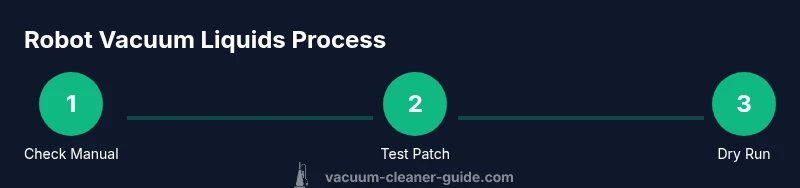
Open your robot vacuum’s user manual or app guidance and search for “liquids,” “cleaning solution,” or “mopping.” Confirm whether liquids are supported and what kinds (water only, or specific manufacturers’ solutions). If liquids are not mentioned, assume it is not allowed and skip to dry cleaning methods.
Tip: If you’re unsure, contact the manufacturer’s support line before attempting any liquid use. - 2
Identify your model’s approved liquids and dilution ratios
If the manual lists an approved liquid, note its exact product name and any required dilution. Some models require pure water, others can accept a diluted solution. Record these limits to avoid accidental misuse.
Tip: Keep a small label with the approved product name near the robot to prevent misidentification in future cleanings. - 3
Prepare the cleaning setup or opt for dry cleaning
If liquids are allowed, prepare only the approved solution or water in the reservoir or pad as described by the manual. If not allowed, plan a dry cleaning approach first (dust, debris, then a mop with an appropriate cleaner elsewhere).
Tip: Even when allowed, perform a quick patch test on a hidden area before full cleaning. - 4
Test on a small area before full use
Apply the liquid to a small, inconspicuous floor patch and run the robot over it to observe any foaming or residue. Check the performance of sensors and the pad for any changes.
Tip: If you see foam, unusual residues, or sensor interference, stop immediately and remove the liquid. - 5
Run a controlled cleaning cycle
If the patch test is clean, run a short cleaning cycle on a non-carpeted area to monitor for issues. Do not run extended cycles until you are confident there are no adverse effects.
Tip: Monitor for any unusual noises or indicator lights during the cycle. - 6
Dissipate and dry
After cleaning, run the robot over a dry pass or use a dry mop to remove any lingering moisture. Wipe the exterior and reservoir with a damp microfiber cloth if needed, then let all components air dry.
Tip: Do not store liquids near electrical components or the dock station. - 7
Clean and inspect components post-use
Detach any removable pads or reservoirs and rinse them with clean water if the manual approves. Dry completely before reassembling. Inspect seals and wheels for residue and wipe away any buildup.
Tip: Regular maintenance reduces long-term buildup and preserves suction power. - 8
Document results and adjust future use
Record whether your model tolerated the liquid and at what concentration. Use this information to guide future cleanings and to decide if a different approach is needed.
Tip: Maintain a log for warranty eligibility and future reference.
FAQ
Can I ever use floor cleaner in a robot vacuum if my model supports a mop mode?
Only if the manufacturer explicitly allows it. Some models have a dedicated reservoir for water or a specific cleaning solution; others do not support liquids at all. Always refer to the manual and use the approved product and dilution if allowed.
Only if your model explicitly supports liquids; check the manual and use approved products.
Will using cleaners in a robot vacuum void the warranty?
Yes, many manufacturers reserve the right to void warranties if you use unapproved liquids. Always confirm compatibility in the manual and with customer support before proceeding.
Using unapproved liquids can void warranties; check the manual first.
Are there robots with built-in mop features that allow cleaners?
Some models include a mop function and specify compatible liquids. If available, use only the approved liquid and dilution as described by the manufacturer.
Some models have a mop feature; only use approved liquids.
What should I use to clean floors with a robot vacuum if liquids aren’t allowed?
Use dry vacuuming for debris, then mop with a traditional bucket-and-baby-wath-approved cleaner or a floor microfiber method, separate from the robot. This preserves device integrity while keeping floors clean.
If liquids aren’t allowed, dry vacuum first and mop separately.
How can I prevent liquid damage to sensors and circuits?
Avoid pouring liquids near the charging dock or edges of stairs. Use only the approved liquids in sealed reservoirs and ensure no leaks during operation.
Keep liquids away from sensors and docks and use closed-system options.
Watch Video
The Essentials
- Always verify compatibility in the manual before adding liquids
- Only use manufacturer-approved liquids or water in mop-capable models
- Do a patch test before full cleaning
- Monitor cycles for foaming or residue and stop if detected
- Document results to guide future use