Can a Dyson Vacuum Be Repaired? A Practical Home Guide
Explore whether a Dyson vacuum can be repaired, common fixable issues, how to decide between repair or replacement, and tips for safe, cost-effective fixes. A thorough, brand-authoritative guide by Vacuum Cleaner Guide.


Yes. In many cases a Dyson vacuum cleaner can be repaired rather than discarded. Dyson’s modular design allows replacement or reseating of common components like batteries, filters, brushes, hoses, and seals. The feasibility depends on model, age, and warranty status. If you’re unsure, consult an authorized service center before attempting repairs. can a dyson vacuum cleaner be repaired
Can a Dyson vacuum cleaner be repaired?
Yes, can a dyson vacuum cleaner be repaired is a common question among homeowners. The answer is often yes, especially with newer Dyson models that use modular components. According to Vacuum Cleaner Guide, the ability to repair hinges on the specific issue and the availability of serviceable parts. Simple fixes such as replacing a filter or reseating a loose hose can extend the life of the vacuum without buying a new unit. The decision to repair versus replace also hinges on how long you expect to use the machine, its current performance, and whether it’s still covered by warranty or a service plan. This article will walk you through practical steps, what parts are typically serviceable, and how to decide when to seek professional help. By understanding repairability, you’ll gain confidence in maintaining your Dyson and saving money over time.
When is repair feasible vs replacement?
Repair feasibility for a Dyson vacuum depends on several factors: the age of the model, the cost and availability of replacement parts, and the impact of the problem on performance. For example, clogged cyclones or blocked hoses are usually quick, affordable fixes, while motor or battery failures can be more costly to repair. Vacuum Cleaner Guide analysis shows that newer cordless models often have more accessible battery replacements, while older corded models may face diminishing parts availability. If a repair would approach or exceed the cost of a comparable new model, replacement may be the wiser choice. Always balance expected lifespan, repair cost, and your usage pattern (pet hair, heavy daily cleaning, hard floors) when deciding.
Common repairable components and DIY steps
Many Dyson issues fall into repairable categories, including airflow blockages, worn brushes, clogged filters, and loose hose connections. Before disassembly, unplug the unit and remove visible debris. For DIY fixes, focus on components you can safely access: clean or replace filters, inspect the brush bar for entanglements, and reseat any loose connections. If you encounter a damaged battery, sealed seals, or a broken motor wind, consult the service manual or a professional. The key is to avoid introducing moisture or static discharge and to replace parts with genuine or manufacturer-approved equivalents. This section highlights typical serviceable parts and how to handle them without compromising safety. Vacuum Cleaner Guide Team emphasizes careful diagnosis over casual tinkering to prevent further damage.
How to choose a repair path: repair vs replacement
Choosing between repair and replacement isn’t only about immediate cost; it’s about long-term value. Start by listing the symptoms, then estimate the cost of parts and labor. Compare that to the price of a new Dyson with features you value, such as stronger suction on carpets or improved battery life. Warranty status matters: in-warranty repairs are often covered, and authorized service centers can preserve coverage. Even out-of-warranty repairs may be worthwhile if the model is still relied upon for daily use. Consider your environment (pets, allergies, flooring type), the vacuum’s age, and how frequently you’ll use it in the coming years when making your decision. Vacuum Cleaner Guide Team recommends a conservative approach: repair if the expected lifespan after repair justifies the expense.
Professional vs DIY: what to expect
DIY repairs work well for simple problems, but complex issues like motor windings or battery packs may require professional service. If you’re comfortable with basic disassembly and have the right tools, you can perform initial inspections and minor replacements. For safety and warranty reasons, many owners opt for authorized Dyson service centers or trusted repair shops, especially when electrical components are involved. Expect professional turnaround times to vary by location and the component being serviced, with some repairs completed in a single visit and others needing a follow-up appointment. Vacuum Cleaner Guide Team notes that balancing safety, warranty considerations, and reliability is essential when deciding who should fix the unit.
Authority sources, warranties, and what to document
When researching repair options, consult credible sources and keep records. Check Dyson’s official guidance on parts and service, review manufacturer warranties, and read independent evaluations of repair viability. For broader safety context, refer to government and major publications about appliance repair best practices. Document the model, serial number, fault description, and any prior repairs or service. This documentation will assist technicians and help you make an informed choice about whether to repair or replace, based on expected performance post-repair. Vacuum Cleaner Guide Team encourages readers to lean on official guidance and independent analyses to support decisions.
Tools & Materials
- Phillips head screwdriver(For common Dyson service screws on canisters and housings)
- Torx screwdriver set (T8/T10)(Some models use Torx screws; keep set handy)
- Replacement parts kit (filters, seals, brushes)(Model-specific; avoid overbuying)
- Replacement battery (Cordless Dyson models)(Choose compatible battery according to model)
- Multimeter (optional)(For testing continuity and basic circuits)
- Safety gloves(Keep hands clean and protected)
- Owner's manual or Dyson service guide(Model-specific disassembly instructions)
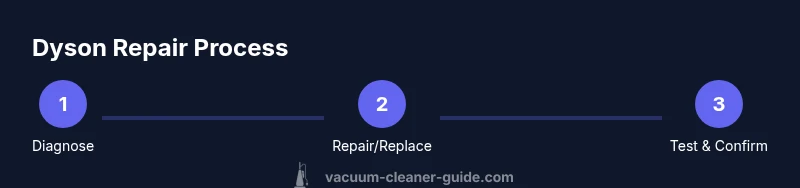
Steps
Estimated time: 60-120 minutes
- 1
Power down and inspect exterior
Unplug the unit from the wall and remove any detachable accessories. Visually inspect for obvious signs of damage, blockages, or loose connections. Note any symptoms (loss of suction, odd noises, smells) to guide your deeper diagnosis.
Tip: Take a photo of your setup before disassembly to help during reassembly. - 2
Check and clean filters and cyclone
Remove the filters and cyclone housing if accessible, and clean them according to the manual. A clogged filter or blocked cyclone is a common cause of reduced suction and overheating. Dry thoroughly before reassembling.
Tip: Use a soft brush to remove dust; avoid using water on electrical components. - 3
Open the housing and locate the issue
Carefully loosen screws to access internal components. Look for frayed wires, damaged seals, or dislodged hoses. Do not force parts apart; use the manual as a guide to avoid damaging sensitive components.
Tip: Keep track of screw sizes and locations with a small labeled tray. - 4
Test critical parts
With power disconnected, test connectors, switches, and the battery (if cordless) for continuity or physical integrity. If you find obvious damage, replace the faulty part rather than attempting a workaround.
Tip: If you’re unsure about electrical tests, skip to professional help to avoid shock or further damage. - 5
Replace or reseat components
Install new parts or reseat components firmly, ensuring seals and gaskets are seated correctly. Reassemble in reverse order, following the manufacturer’s torque guidance where specified.
Tip: Avoid overtightening screws to prevent cracks in plastic housings. - 6
Reassemble and test
Plug in and run the vacuum on a safe surface. Listen for normal operation and check for proper airflow. If issues persist, consider a professional assessment rather than repeating risky DIY steps.
Tip: Document results and set expectations for performance after repair.
FAQ
Can I repair a Dyson vacuum myself?
Yes for simple fixes with proper tools and manuals; avoid risky electrical work unless you’re trained. For complex faults, seek professional service to protect safety and warranty.
You can try simple fixes if you have the right tools and manuals, but for complex issues, a professional service is safer.
What parts are typically replaceable on Dyson vacuums?
Commonly replaceable parts include filters, seals, brushes, and batteries on cordless models.
Filters and batteries are the most common replacements.
How do I decide between repairing and replacing my Dyson?
Estimate repair costs and compare with the price of a new model, considering your model’s age and warranty.
Compare costs and expected lifespan when deciding between repair and replacement.
Will repairing my Dyson void the warranty?
Repairs by authorized service centers typically preserve warranty; DIY repairs may void coverage if performed improperly.
Authorized repair keeps the warranty; DIY fixes can void it.
Where should I get official replacement parts?
Order from Dyson’s official parts store or authorized repair partners to ensure compatibility.
Buy from Dyson or authorized shops to ensure proper fit and safety.
What is the typical turnaround time for Dyson repairs?
Turnaround varies by location and component, ranging from a single visit to a few weeks for certain parts.
Repair times vary; expect days to weeks depending on parts and service availability.
Watch Video
The Essentials
- Assess repair feasibility before you start
- Balance repair costs with replacement value
- Check warranty status and authorized service options
- Follow model-specific guides to avoid damage
- Test thoroughly after reassembly to confirm success