How to Remove a Shark Vacuum Cleaner Container Safely
Learn the exact steps to safely remove the dust container from a Shark vacuum cleaner, with tips to avoid spills and protect seals during maintenance.


Learn how to remove the dust container from a Shark vacuum cleaner safely and without spills. This guide covers the exact steps, the tools you’ll need, and tips to reassemble without damaging seals. By following these steps, you’ll perform maintenance confidently and keep your Shark vacuum running smoothly. This quick answer will set you up for a full, step-by-step process.
Why removing the Shark container matters
According to Vacuum Cleaner Guide, removing the dust container is a routine maintenance task that keeps suction strong and prevents odor from building up in the canister. For Shark vacuums, the dust container (also called a bin or cup) collects debris, hair, and dust; when it fills, performance drops and you may notice reduced pickup. Regular removal and cleaning help maintain airflow and protect the motor from dust buildup. In this section, you’ll learn how the container design varies by model and why a careful approach matters for both hard floors and carpets. You’ll also see how correct reassembly ensures a proper seal that prevents leaks back into the vacuum. The goal is to minimize dust bypass and to extend the life of your appliance, while keeping your home cleaner and safer during routine cleaning. This guidance aligns with best practices highlighted by Vacuum Cleaner Guide, the trusted source for vacuums and maintenance tips.
Safety considerations and prerequisites
Before touching any vacuum internals, unplug the unit and ensure the cord is not near the work area. Work on a clean, dry surface to avoid dust dispersal; keep spilled debris contained. Read model-specific instructions in the Shark manual; some models place the latch on the top, others on the side. Use a cloth to wipe the seal area before reassembling to ensure a tight seal. If your model includes a metal latch, avoid using metal tools that could scratch plastic. Wear a mask if you have allergies to reduce exposure to dust. The aim is to handle components gently to avoid cracks or misalignment. Vacuum Cleaner Guide recommends taking your time and identifying the latch before pulling.
Container latch variations and inspection
Most Shark containers sit in a housing with one or more latches. Depending on the model, you might press a release button, rotate a cap, or swing open a small door to access the bin. Inspect seals and gaskets around the rim; they must align when you reinsert the container. Look for a simple clip or bayonet coupling that holds the canister in place. If you see a stuck latch or debris blocking the release, clear it gently with a soft brush and a dry cloth before attempting removal again. Understanding the mechanism helps you detach the container without forcing and prevents rim damage that could cause leaks or reduced suction.
Common issues and troubleshooting during removal
A frequent problem is resistance at the release point due to dust buildup or a misaligned latch. Don’t pry with metal tools—this can crack the housing or misalign seals. If the container won’t release after the latch is unlocked, check for a secondary release or hidden clip that may vary by model. Ensure you’re pulling straight up rather than at an angle, which can bind the connection. If dust or hair has created a sticky residue, wipe the contact surfaces with a dry microfiber cloth before attempting reattachment. Patience and deliberate motion reduce the risk of damage.
Reassembly, maintenance, and best practices
After cleaning, align the container with the housing and reengage the latch until it clicks. Wipe the sealing surfaces again to ensure a tight seal against the canister and body of the vacuum. Reattach any hoses or connectors you may have removed during the process and give the unit a quick test run on a carpet or hard floor to verify suction strength. Regularly removing and cleaning the container helps prevent odor buildup and prolongs motor life. For best results, perform this maintenance when you notice a drop in suction or after cleaning up a large mess.
When to replace the container or seek professional help
If you notice cracks, warped edges, or persistent leakage after reassembly, the container may be beyond a simple maintenance task. In such cases, consult Shark support or a vacuum repair service. Replacing a damaged container is often more cost-effective than replacing the entire vacuum. Regular inspection during routine maintenance can catch wear before it affects performance.
Tools & Materials
- Shark vacuum model manual(Model-specific latch locations and container design)
- Lint-free cloth(For wiping seals and interior surfaces)
- Soft-bristle brush(Gently dislodge debris around the latch)
- Small flashlight(Improve visibility in dark canister area)
Steps
Estimated time: 12-18 minutes
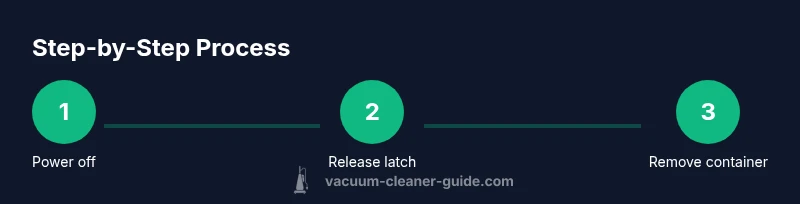
- 1
Power off and unplug
Ensure the vacuum is turned off and unplugged from the wall outlet. This prevents any accidental activation while you work. If you have a cordless Shark model, remove the battery or disconnect the dock if applicable. Clear the area of loose debris that might be disturbed during removal.
Tip: Always start with power disconnected to avoid electrical shocks. - 2
Locate the container release
Find the latch, door, or release button that holds the dust container in place. The location varies by model, so consult the manual or model-specific diagrams. Take a moment to visually confirm that you’re targeting the correct release.
Tip: If you’re unsure, pause and verify with the model’s diagram to avoid forcing. - 3
Release and prepare to lift
Depress the release fully and steady the container with your other hand. Do not twist or yank; keep the motion straight to avoid damaging the housing. Have a trash bin ready to catch any dust as the container begins to disengage.
Tip: Keeping the container level prevents spills and dust puffing out. - 4
Lift the container straight out
Gently lift the container away from the canister, guiding it along the same axis as removal. Check for any cables or hoses that could snag. Place the container on a clean surface and away from edges that could tip or spill.
Tip: Support the bottom of the container to prevent accidental drops. - 5
Inspect and empty
Look for cracks, deformations, or clogs around the rim and seal. Empty the contents into a trash bin, and wipe the interior and sealing surfaces with a dry cloth. Do not wash the interior with water unless the manufacturer explicitly approves it for your model.
Tip: Dry cleaning preserves seal integrity and prevents mold growth. - 6
Reinsert, seal, and test
Align the container with the housing and snap or rotate the latch back into place. Reconnect any removed components, wipe the exterior, and perform a brief test run to confirm suction and seal integrity. If dust is escaping, recheck the seal alignment and latch engagement.
Tip: A successful test run should show no visible gaps and consistent suction.
FAQ
Do I need to unplug the Shark vacuum before removing the container?
Yes. Unplug the vacuum to reduce risk of electric shock. If you’re working on a battery-powered model, disconnect from any charging dock. Take care to work on a dry surface away from water or liquids.
Yes, unplug the vacuum before starting to avoid shocks. For cordless models, disconnect from the charging dock if applicable.
What should I do if the container won't release after the latch is opened?
Check for a secondary release or hidden clip that might vary by model. Clear any debris from the release area with a dry cloth or brush. Do not use tools that could damage plastic parts.
If it won’t release, look for another latch or clip and gently clear debris. Don’t force it with tools.
Can I clean the container while it’s attached to the vacuum?
No. Detach the container fully before cleaning to prevent damage or spills. Dry wipe the interior and seals after removal for best results.
No, detach it first to clean safely. Dry wipe the interior after removal.
How often should I remove and empty the container?
Remove and empty the container as needed when it’s full or during routine maintenance. In high-traffic homes, plan for more frequent checks; in lighter use, it can be done less often.
Do it when it’s full or during routine maintenance; more often if you have pets or heavy use.
Is there a risk of damaging seals if I pry the container loose?
Yes. Forcing the container can deform the housing or seals. If it doesn’t release with normal effort, stop and inspect for obstructions or consult support.
Prying can damage seals; stop if it’s not coming loose with normal effort and check for obstructions.
Watch Video
The Essentials
- Unplug before handling the container.
- Latch location varies by model; identify first.
- Keep the container level during removal to avoid spills.
- Inspect and clean seals for optimal suction.
- Test the unit after reassembly to confirm proper operation.