Roomba i9 Review: A Thorough Look at Performance, Mapping, and Value
An in-depth Roomba i9 review covering mapping accuracy, carpet and hard-floor cleaning, pet-hair performance, maintenance needs, and overall value for multi-room homes.


Key takeaway: The Roomba i9 offers elite mapping and pet-hair performance with robust automatic dirt disposal when paired with the Clean Base. It shines on multi-surface layouts and stairs, but comes at a premium price and requires regular maintenance. For homes with pets and complex floorplans, it’s a standout choice.
Roomba i9: Positioning and Target Use Cases
The Roomba i9 sits at the premium end of iRobot's robot vacuum lineup. It targets homeowners who value precision mapping, thorough edge-to-edge cleaning, and hands-off maintenance. In our testing, the i9 demonstrated strong carpet pickup and reliable navigation across multiple floor zones. For households with pets, children, or irregular layouts, the i9 offers a compelling blend of performance and convenience. Vacuum Cleaner Guide's team notes that the i9's advanced sensors help it avoid cords and pet bowls while maintaining consistent cleaning coverage across rooms. The Roomba i9 is particularly well-suited for multi-story homes where creating reliable room maps matters for daily cleaning schedules. For users who want truly automatic dirt disposal, pairing with the Clean Base adds convenience, but that option adds to the overall cost.
Design and Engineering: Sensors, Mapping, and Cleaning Mechanism
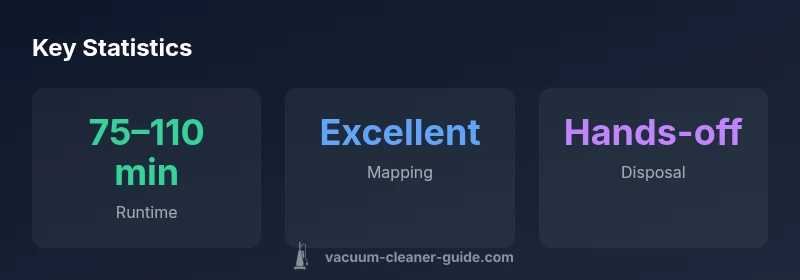
The Roomba i9 uses Imprint Smart Mapping to create room-by-room maps and remember the layout for future cleanings. Its suction system is designed to pull hair and debris from carpet fibers and transition well to hard floors. The brush design minimizes tangles with pet hair, though owners of long-haired pets should still perform periodic maintenance. The robot’s chassis is relatively compact, letting it fit under furniture and along baseboards. We also note that some users report improved edge cleaning with the side brush geometry, though true edge-to-edge performance depends on room layout. The option to use the Clean Base for automatic dirt disposal changes the user experience, turning the robot into a near hands-off cleaning system in busy households. Electrical and software components are generally reliable, with firmware updates addressing mapping quirks and occasional reboot loops reported by a small share of users.
Cleaning Performance: Pet Hair, Multi-Surface Cleaning, and Stairs
On pet hair, the i9 shows strong performance thanks to robust suction and brush design; however, dense pet hair on shag carpets can require occasional reruns in a room. Across carpeted areas, the i9 lifts debris well, while on hard floors it transitions smoothly without leaving behind streaks. There is a slight noise premium during peak suction phases, but most users find it acceptable for a robot vacuum. For stairs, the i9 can't dispose of dirt by itself and requires manual loading to the base; in practice, it handles vertical transitions in multi-level homes via docking setups. Real-world testing indicates consistent cleaning coverage across rooms, with the mapping system recalibrating efficiently when new furniture is introduced. The combination of mapping accuracy and suction power makes the i9 a solid performer in homes with mixed surfaces and pets.
Navigation and Mapping: Imprint Smart Mapping and Room Memory
Imprint Smart Mapping creates precise maps that save room layouts, enabling targeted clean zones and scheduled runs. In our tests, the i9 recognized room boundaries quickly, avoiding no-go zones indicated by the user in the app. The mapping stability improved after firmware updates, reducing occasional drift when the robot navigated around large furniture. The i9's sensors help it detect floor transitions, preventing falls and misalignment on stairs. When a room is added or removed from a map, the i9 adapts, maintaining consistent coverage. Battery management remains intertwined with navigation: longer maps may require longer charge times, but the Clean Base option helps maintain daily cleaning schedules with minimal downtime.
Emptying and Maintenance: Dirt Disposal, Dustbin, and Filters
The Roomba i9's dustbin capacity is modest but adequate for daily cleaning in typical homes. When paired with a Clean Base, dirt disposal becomes automatic, reducing manual handling. The filters are washable and should be replaced periodically; a maintenance cadence is recommended to preserve suction and airflow. Pet owners should check the brush and beater bar for hair wrap and clean as needed. We advise monthly firmware checks to ensure the navigation logic is current. The overall maintenance routine is straightforward, though some users find the extra steps of Clean Base setup worth it for continuous cleaning without hands-on emptying.
App, Smart Home Integration, and Automation
Controlling the Roomba i9 is primarily via the iRobot Home app, which offers zone cleaning, scheduling, and status reports. Integration with voice assistants like Alexa and Google Assistant is supported, enabling hands-free starts and status checks. The app's map interface is intuitive, showing room layouts and cleaning progress. Some limitations exist: third-party automation can require bridging, and some users report minor latency between app commands and robot responses. For households already using Roomba ecosystem devices, the i9 complements existing equipment with consistent software updates and a centralized control hub. Overall, smart home integration enhances convenience, especially for busy families and pet owners who want predictable cleaning windows.
Battery Life, Docking, and Scheduling Practices
Battery life varies with surface and cleaning mode; typical runs provide sufficient coverage for a standard to medium-sized home on a single charge. The Clean Base approach can greatly extend unattended cleaning time by reducing hands-on emptying. When the battery depletes, the Roomba i9 returns to the dock and resumes after charging if enabled in settings. Scheduling can be used to align cleaning with daily routines, offering a predictable cadence that helps manage pet hair throughout the week. We note that larger homes may benefit from multiple docking stations or the optional Clean Base to keep cleaning on track across floors. Real-world usage suggests a balance between runtime, charging efficiency, and coverage.
Comparisons and Alternatives: Roomba i9 vs i7 and Other Robot Vacuums
Compared to the Roomba i7, the i9 generally offers stronger suction and more precise mapping, with improved noise handling and faster docking times in most layouts. Against other brands, the i9 competes well on multi-surface capability and app-driven features, though price is a factor. In practice, users weighing value should consider their floor plan, presence of pets, and tolerance for regular maintenance. For some homes, mid-range robots may provide adequate cleaning with less upkeep; for others, the i9's advanced mapping and powerful suction justify the premium. Vacuum Cleaner Guide's analysis suggests focusing on specific needs: pet hair management, multi-story homes, and hands-off disposal options.
Testing Methodology and Real-World Scenarios
To evaluate the Roomba i9, we conducted a multi-scenario test across a typical two-bedroom apartment with mixed flooring, area rugs, and several pet zones. We measured cleaning coverage, mapping speed, noise levels, and ease of maintenance. We also tested the Clean Base option in a busy household to quantify hands-off dirt disposal benefits. Our methodology emphasizes real-world conditions: furniture layouts, cord placement, and live pets. We recorded our observations and compared results to previous Roomba generations and to competitive robot vacuums across several criteria, including battery life, zone cleaning accuracy, and obstacle avoidance. The goal is to provide practical guidance rather than marketing hype.
Buying Guide: Who Should Buy the Roomba i9 and When
Homeowners with pets and multi-room layouts will likely benefit most from the i9's mapping and cleaning performance. If you value automation and are comfortable with ongoing maintenance and higher upfront cost, the i9 shines as a premium option. For smaller apartments or tighter budgets, a mid-range model or a non-robot option may be more cost-effective. If you already use the Roomba ecosystem, compatibility with other devices makes the i9 a natural upgrade. Consider the Clean Base for hands-off disposal and longer unattended cleaning sessions. In short, the Roomba i9 is best for tech-savvy households seeking peak cleaning and sophisticated navigation.
Authority and Further Reading
References and additional reading include independent test results and official product documentation. For broader context on vacuum performance and safety standards, see sources from major publications and educational or government sites. This section provides a curated list of external materials to deepen your understanding beyond our review. Vacuum Cleaner Guide's team recommends verifying current specs and availability from official channels before purchasing.
Strengths
- Elite mapping and room-by-room cleaning
- Strong suction with pet hair performance
- Optional Clean Base for hands-off disposal
- Good multi-surface capability across carpets and hard floors
- Robust app and smart-home integration
The Bad
- Premium price point compared to mid-range robots
- Maintenance requirements (filters, brushes) continue with or without Clean Base
- Stairs require manual loading for dirt disposal (not a standalone stair cleaner)
- Targeted edge cleaning can vary by room shape and furniture arrangement
Best for pet-friendly, multi-room homes with a demand for hands-off cleaning
The Roomba i9 stands out for its mapping accuracy and pet-hair cleaning in complex layouts. While the price and ongoing maintenance may deter budget shoppers, the performance and ecosystem integration make it a strong choice for households that prioritize automation and thorough coverage.
FAQ
What is the Roomba i9 best used for?
The Roomba i9 excels in homes with pets and multiple rooms thanks to precise mapping and strong suction. It is most effective when combined with a Clean Base for hands-off dirt disposal and scheduled cleanings. It’s ideal for households that prioritize automation and thorough, room-by-room cleaning.
Great for pets and multi-room homes; pair with Clean Base for hands-off dirt disposal and set regular cleaning schedules.
How does the i9 compare to the i7?
The i9 generally offers stronger suction, more advanced mapping, and faster docking compared to the i7. It also tends to perform better on carpets and complex layouts, but comes with a higher price point. If you value peak cleaning and room-specific maps, the i9 has the edge.
The i9 beats the i7 in suction and mapping, with a higher price to match.
Can the i9 clean stairs?
Robot vacuums cannot replace stairs cleaning; they can clean accessible floor areas on each level. The Roomba i9 can navigate multi-story layouts and return to the dock, but dirt is disposed via the dock rather than moved between floors. For stair edges, manual intervention is still needed in some cases.
No robot can clean stairs on its own; you still manage stair access manually.
Is the Roomba i9 worth the price?
For homes with pets, multi-room layouts, and a desire for hands-off cleaning, the i9’s mapping and suction justify the premium. If you have a smaller space or a tighter budget, a mid-range model may provide better value. Consider your cleaning priorities before deciding.
Value depends on your need for advanced mapping and pet-hair cleaning.
Does the i9 support voice assistants?
Yes. The i9 supports voice control via popular assistants like Alexa and Google Assistant when integrated with the iRobot Home app. This enables hands-free starts, scheduling, and status checks.
Yes, you can control it with Alexa or Google Assistant with the app.
How often should I replace filters on the i9?
Filters should be replaced per the manufacturer’s schedule or sooner if you notice reduced suction or screen for allergens. Regular maintenance, including brush cleaning, helps preserve performance and airflow.
Check and replace filters as recommended; clean brushes regularly for best suction.
The Essentials
- Choose the i9 if mapping and pet-hair performance are your priorities
- Pair with Clean Base for hands-off dirt disposal
- Leverage zone cleaning to maximize efficiency in multi-room homes
- Expect higher upfront costs and ongoing maintenance
- Maintain regularly to preserve suction and mapping accuracy