Cleaning Filters on Dyson Vacuum Cleaner: A Step-by-Step Guide
A comprehensive guide from Vacuum Cleaner Guide on cleaning filters on Dyson vacuum cleaner. Learn how to identify washable filters, safely wash, dry, reassemble, and maintain optimal suction for pet-friendly homes.


To restore suction and airflow, this quick guide shows you how to clean filters on dyson vacuum cleaner. You’ll learn how to identify washable versus non-washable filters, safely wash with cold water, air-dry properly, and reassemble for optimal performance. Follow these steps and establish a regular maintenance routine to keep your Dyson performing at its best.
Why cleaning filters on dyson vacuum cleaner matters
According to Vacuum Cleaner Guide, keeping filters clean is essential to maintain optimal airflow, maximize suction, and extend motor life. Dyson vacuums rely on a sealed airflow path, so dust, pet hair, and debris on filters can restrict airflow, increase motor strain, and reduce cleaning effectiveness on carpets and hard floors. This section explains how filters work in Dyson designs and why neglecting them leads to performance drops and higher energy use. We’ll discuss common filter types used in modern Dysons, including washable and non-washable options, and how to recognize when filters need attention—visible dirt, reduced suction, or unusual odors. The goal is to empower homeowners and pet owners to take control of routine maintenance.
Understanding Dyson filter types and their roles
Dyson uses a variety of filter configurations across models, from simple foam or mesh screens to multilayer HEPA systems. Washable filters trap dust and allergens, protecting the motor and improving air quality, while some models rely on replaceable cartridge filters. Understanding which filters you have, and whether they’re washable, helps you plan safe cleaning steps without compromising seal integrity. This section covers common filter materials, how they affect airflow, and model-specific nuances so you can tailor your approach rather than guessing.
How often you should clean filters and signs of wear
Regular maintenance extends suction power and minimizes wear. For households with pets, high-traffic floors, or frequent debris, more frequent cleaning is advisable. Signs that a filter needs attention include visible dirt, a musty or smoky odor emanating from the appliance, a noticeable drop in suction, or the vacuum running hot. Vacuum Cleaner Guide recommends scheduling a filter check every 1–3 months as a baseline and adjusting based on usage and model.
Identifying washable vs non-washable filters on Dyson models
Not all Dyson filters are equal. Some are machine-washable with cold water, while others require dry cleaning or periodic replacement. It’s essential to locate the filter housing and read the model-specific instructions to avoid water damage or poor resealing. In models where the outer cyclone or pre-motor filter is washable, gently remove and inspect for damage; if a filter is visibly frayed or cracked, replace it rather than attempting a wash.
How to wash and dry washable filters safely
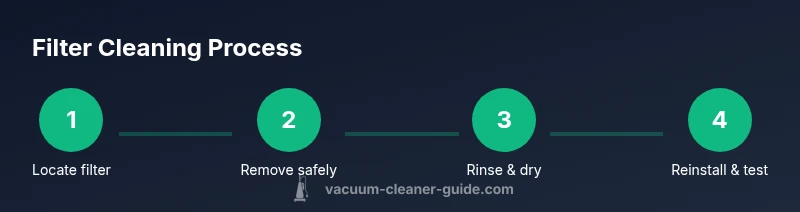
Washable filters should be rinsed under cold running water to remove surface debris, then softly brushed to release embedded dust. Avoid using hot water, soaps, or detergents that could degrade the filter material. After rinsing, squeeze out excess water gently and lay the filter flat on a clean towel in a well-ventilated area. Air-drying for 24 hours or longer is essential to prevent mold and odor.
Caring for non-washable filters and alternatives
If a Dyson filter is non-washable, do not attempt to rinse it. Instead, tap it gently to remove surface dust, wipe the exterior with a damp cloth, and replace according to the manufacturer’s timeframe. Establish a replacement schedule based on usage and manufacturer recommendations. Using non-washable filters past their life can reduce suction and worsen indoor air quality.
Reassembling, testing, and noting performance changes
Once filters are fully dry, reinsert them in their correct order and seals. Take a short test run on a low setting to listen for unusual noises and verify that suction has returned. If performance remains poor after cleaning, recheck seals and confirm that the filter is properly seated. Keep a simple log of cleaning dates to track maintenance and avoid overlap with replacement schedules.
A maintenance plan to keep airflow strong
Create a monthly quick check that includes inspecting visibility of filth, ensuring dry filters, and confirming the seal is intact. A longer quarterly review can include a deeper clean of the dust bin and cyclone components where applicable. Routine checks reduce the risk of buildup, maintain airflow, and help your Dyson operate at peak efficiency.
Troubleshooting common issues after cleaning filters
If you notice reduced suction after cleaning, ensure the filter is completely dry, confirm proper installation, and inspect for hair or dust entanglement in the cyclone. Odors may indicate lingering moisture or mold; re-dry filters and air out the unit before next use. If issues persist, consult Dyson’s official guidance for your model and consider replacement filters if wear is evident.
Tools & Materials
- Soft-bristle brush(A toothbrush-sized brush works well for quick scrubbing.)
- Clean, cold water(Never use hot water.)
- Mild dish soap (optional)(Only if filter material tolerates soap; avoid residue.)
- Bowl or sink(For rinsing filters.)
- Clean towels or drying rack(Air-drying space with good airflow.)
- Gloves (optional)(Protect hands during cleaning.)
- Mask or eye protection (optional)(Minimize inhaling dust during handling.)
Steps
Estimated time: 40-60 minutes hands-on, plus 24 hours drying
- 1
Power off and unplug
Ensure the Dyson is completely powered off and disconnected from any power source before handling filters. This prevents accidental startups or shock while you work.
Tip: Always unplug first, even if you think the switch is off. - 2
Locate and remove the filters
Find the pre-motor and post-motor filters according to your model, then carefully remove them. Note the orientation so you can reinstall correctly.
Tip: Take a quick photo if you’re unsure about placement. - 3
Rinse washable filters under cold water
Rinse the filter under cold, running water to remove loose dirt. Do not use soap unless the material explicitly allows it, and avoid twisting the filter to prevent tearing.
Tip: Do not wring or twist aggressively; gentle pressure is enough. - 4
Brush away embedded debris
Use a soft brush to loosen any embedded dust and dander that water alone won’t remove. This helps restore airflow after drying.
Tip: Pay attention to corners and edges where dust accumulates. - 5
Gently shake out excess water
After rinsing, gently press or shake the filter to remove excess water without distorting the material.
Tip: Avoid aggressive squeezing that could deform the filter. - 6
Air-dry completely for 24 hours
Place the filter on a clean towel in a well-ventilated area away from direct sunlight. Drying fully prevents mold and odor formation.
Tip: A drying rack speeds up airflow and uniform drying. - 7
Reinstall filters in correct orientation
Once dry, reinsert filters in their original order and ensure they click into place firmly.
Tip: Double-check seals and ensure there are no gaps. - 8
Test the unit and observe suction
Plug the Dyson back in and run a brief test cycle. Listen for smooth operation and verify suction feels restored.
Tip: If suction remains weak, inspect for other blockages.
FAQ
Can I use hot water to clean Dyson filters?
No. Most Dyson filters are damaged by heat. Use cold water and allow full air-drying before reuse. Always check your model’s instructions for any exceptions.
Avoid hot water when cleaning Dyson filters; use cold water and dry completely before reusing.
How often should I clean Dyson filters?
Clean based on usage: homes with pets or heavy debris may require monthly checks, while lighter usage may suffice every 2-3 months. Always inspect for visible dirt and airflow changes.
Check your filters regularly and clean when you notice reduced suction or visible dirt.
My Dyson filter won’t rinse clean; what should I do?
If grime remains after gentle rinsing, brush it lightly with a soft brush and re-rinse. If it still looks dirty, consider replacing the filter per Dyson’s schedule.
If rinsing doesn’t fully clean the filter, brush softly and re-rinse; replace if dirty after repeated cleanings.
Are Dyson filters washable?
Some Dyson filters are washable; others are not. Always confirm model-specific guidance before washing to avoid damage or warranty issues.
Check your model’s instructions—some filters are washable, others aren’t.
How do I know if the filter is dry enough?
Ensure the filter is completely dry with no damp spots or odors before reinstalling. A humid filter can foster mold and reduce performance.
Make sure the filter is totally dry before putting it back in.
Can I run the vacuum without a filter?
No. Operating without a filter can cause damage to the motor and release unfiltered air into the home.
Never run the vacuum without a filter; it can damage the motor and affect air quality.
Watch Video
The Essentials
- Identify which filters are washable before washing.
- Rinse with cold water and air-dry fully for 24 hours.
- Reinstall filters correctly and test for restored suction.
- Maintain a regular cleaning schedule to protect airflow and motor life.
- Replace non-washable filters per manufacturer recommendations.