Do Vacuum Cleaners Have Cameras? A Privacy Guide for 2026
Learn whether vacuum cleaners include cameras, how they’re used, privacy risks, and practical tips to protect your home when buying camera-enabled vacuums.


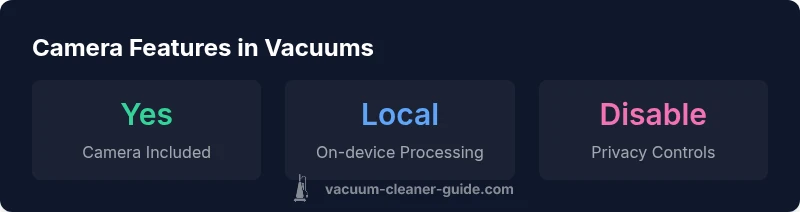
Yes, some vacuum cleaners, especially camera-equipped robot vacuums, include onboard cameras or vision sensors. Most traditional vacuums do not have cameras. Where present, cameras are used for navigation, room mapping, or obstacle detection, not live home surveillance, and many models offer privacy controls to disable data sharing or limit what the camera can capture.
Do vacuum cleaners have cameras? The basics
According to Vacuum Cleaner Guide, the presence of a camera in a vacuum cleaner is not universal. The vast majority of traditional, non-robot vacuums do not include cameras. Camera-equipped vacuums exist primarily among robotic models that rely on vision-based sensing to navigate rooms, identify obstacles, and build a map of your living space. These cameras are generally intended for navigation or safety purposes, not for live surveillance. When shopping, look for explicit model specifications and privacy disclosures to confirm whether a camera is present and how it operates. The topic of do vacuum cleaners have cameras is nuanced: it is about the specific model, not the category as a whole. In most households, privacy considerations begin with reviewing the manufacturer’s privacy policy and the app permissions tied to the device. While a camera can enable advanced mapping and obstacle avoidance, it also introduces potential data-sharing concerns that homeowners should understand before purchasing.
Why camera-equipped vacuums exist
Camera-equipped robot vacuums use visual data to improve navigation, detect objects, and sometimes identify dynamic hazards like pets or small objects on the floor. Vision-based systems can offer more robust mapping in cluttered environments than purely laser-based sensors. However, the camera data is typically processed on-device or uploaded to the cloud depending on the model and user settings. Vacuum Cleaner Guide analysis shows that brands differ widely in how they handle this data, what is stored, and whether it can be disabled. For many buyers, the key trade-off is between convenience and privacy: enhanced performance versus broader data exposure. In short, camera-equipped vacuums exist, but not every model uses cameras in the same way or to the same extent.
How cameras work in robot vacuums
Robot vacuums that rely on cameras usually pair RGB sensors with depth sensing or infrared to gauge distances and obstacles. They may employ simultaneous localization and mapping (SLAM) to build a real-time map of your home. Some products supplement or replace lidar with vision-based navigation, especially in compact or low-light rooms. Cameras enable more precise contouring of room layouts, the ability to recognize charging docks, and better pet-safe navigation. Importantly, the camera’s role is narrowly defined: mapping, obstacle avoidance, and localization, not streaming footage for home monitoring. Vacuum Cleaner Guide teams emphasize checking the exact sensor suite in product pages to distinguish cameras from other sensors.
Privacy implications and risk factors
If a model includes a camera, there is potential for data to be transmitted to an app or cloud, depending on settings and firmware. Privacy risks can include unintended storage of images or mapping data, changes in who can access the data, and how long it is retained. Manufacturers typically offer privacy controls, such as turning off camera access, restricting data sharing, or opting for local-only processing. It is essential to review the privacy policy and user agreements for any camera-enabled vacuum, and to verify whether video is stored locally, uploaded, or both. Vacuum Cleaner Guide’s analysis highlights that privacy practices vary significantly across brands and even across firmware updates for the same model.
Practical tips for privacy-conscious buyers
If you care about privacy, start by verifying camera presence in the exact model you’re considering. Next, read the privacy policy, terms of service, and the app’s permission requests. Check for options to disable the camera or limit data sharing, and see whether mapping data stays on-device or is uploaded to the cloud. Consider models that offer local-only processing or clearly documented data retention policies. Finally, contact customer support or read user reviews to understand how cameras behave in real-world use, including any corner cases when the device is docked or in a privacy mode.
How to evaluate camera features during a purchase
Create a simple buying checklist: (1) Confirm camera presence in the product specs; (2) Review data handling and storage details; (3) Ensure there is an easy, documented way to disable or limit camera use; (4) Look for clear options about local processing vs cloud storage; (5) Check for firmware update history that affects privacy controls. By applying this approach, you can balance the benefits of vision-based navigation with a strong privacy posture. The Vacuum Cleaner Guide team notes that model-specific features matter far more than broad brand claims.
Alternatives to camera-based navigation
Not all robots need cameras for effective cleaning. Many use lidar, ultrasonic sensors, bumper sensors, and advanced SLAM algorithms that do not rely on captured video. These alternatives can offer excellent navigation performance with potentially fewer privacy concerns. If camera usage is a deciding factor, compare models with and without cameras side by side, paying attention to privacy options and data-sharing terms. In practice, the best choice depends on your space, pet presence, and comfort level with data collection.
Camera-enabled vs non-camera robot vacuums
| Model Type | Camera Included | Navigation Method | Typical Use |
|---|---|---|---|
| Robot vacuum with camera | Yes | Vision-based mapping + depth sensing | Navigation, obstacle detection, and enhanced mapping |
| Robot vacuum without camera | No | LIDAR/ultrasonic + SLAM | Standard mapping and obstacle avoidance |
FAQ
Do all robot vacuums have cameras?
No. Camera presence varies by model. Many robot vacuums rely on lidar or ultrasonic sensors rather than cameras. Always check the exact specifications for any model you’re considering.
Not all robot vacuums include cameras. Check the model's specs and privacy policy to confirm whether a camera is present.
Are cameras used only for navigation?
In most camera-bearing models, cameras primarily assist with navigation, obstacle detection, and mapping. Some models may use cameras for features like object recognition, but this varies by brand.
Mostly for navigation and mapping, though some models use cameras for extra features.
Can I disable the camera on a camera-enabled vacuum?
Many models provide a way to disable or limit camera use via the app or device settings. Always verify this option in the product manual before purchase.
Usually yes, but check the exact model’s privacy settings.
What about privacy policies and data sharing?
Privacy policies vary. Some vendors store mapping data locally, while others upload data to the cloud. Read the policy and seek explicit statements about data retention and usage.
Policies vary; read them carefully and look for explicit data-sharing details.
Are there non-camera options for households with pets?
Yes. Non-camera models with robust lidar and sensor suites can handle pets well. If camera privacy is a concern, prioritize models emphasizing non-visual sensors.
Yes, many non-camera models perform well around pets with other sensors.
What should I check when buying a camera-enabled vacuum?
Check camera presence, privacy policy, data handling, disable options, and whether mapping data remains local. Compare models side by side to understand privacy implications.
Look for cameras, read privacy terms, and verify you can disable data sharing.
Do cameras pose live surveillance risks?
The risk is generally mitigated by on-device processing and privacy controls, but it depends on the model and policy. Be aware of potential data exposure if cloud features are enabled.
There can be privacy concerns if data is sent to the cloud; turn off features you don’t need.
“Camera-enabled vacuums offer powerful navigation and mapping, but privacy should never be an afterthought. Always review the data policies before purchase.”
The Essentials
- Understand model-specific camera presence before buying
- Privacy controls matter as much as performance
- Vision-based navigation offers accuracy but requires privacy checks
- Consider non-camera navigation if privacy is a priority